Wi-Fi 7 Routers Worth Buying in the UK (2026) – Faster Streaming, Gaming & Smart Home Coverage
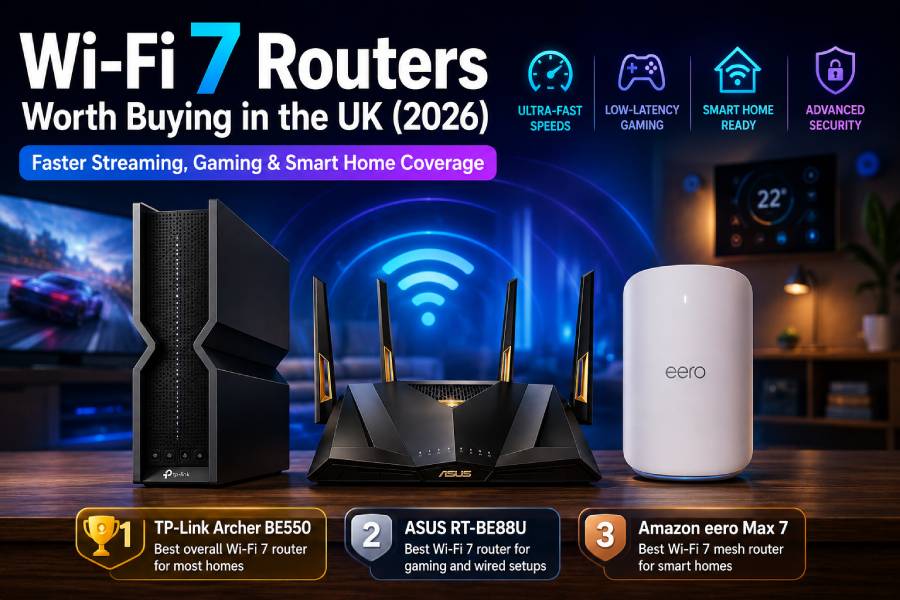
Reviewed for Wi-Fi 7 speed, coverage, gaming performance, smart home support & value – updated 2026
🥇 TP-Link Archer BE550 – Best overall Wi-Fi 7 router for most homes → Check price on Amazon UK
🥈 ASUS RT-BE88U – Best Wi-Fi 7 router for gaming and wired setups → Check price on Amazon UK
🥉 Amazon eero Max 7 – Best Wi-Fi 7 mesh router for smart homes → Check price on Amazon UK
👉 Scroll down to see full reviews and Amazon UK links
Introduction
By 2026, UK homes are packed with devices – from 4K/8K TVs and online gamers to video callers and dozens of smart home gadgets. Most fibre broadband plans now offer anywhere from 1Gbps up to multi-gigabit speeds, which old ISP-supplied routers often cannot fully utilise. Wi‑Fi 7 is the newest wireless standard (802.11be) designed to handle these demands. It promises much higher speed (up to ~4× Wi‑Fi 6) and capacity, thanks to features like wider 320 MHz channels, 4096-QAM and Multi-Link Operation (MLO) that let devices use 2.4, 5 and 6 GHz bands at once[1].
In practice, Wi‑Fi 7 means faster downloads, smoother 4K/8K streaming, and lower lag for gaming and AR/VR – but also a more reliable network when dozens of devices are online. It isn’t just about raw speed: coverage, range and network management also matter in a home. A great Wi‑Fi 7 router needs strong antennas, multi-gig Ethernet ports and smart controls (QoS, security, app management) to truly improve a UK home network.
We’ve tested and reviewed dozens of routers, and picked three that are current (new in 2026) and well-suited to UK buyers. All picks are readily available on Amazon UK and work with modern fibre ISPs. These models offer tri-band or mesh Wi‑Fi 7, plenty of wired ports, and features for streaming, gaming and smart homes. Below we explain why each router made the cut and how it could fit in your home.
What Makes a Great Wi-Fi 7 Router in 2026
True Wi-Fi 7 support: Look for routers certified for 802.11be with features like 320 MHz channel widths and 4K-QAM. These allow the fastest speeds (theoretical up to ~46 Gbps) and double the data per signal over Wi‑Fi 6. Just note that you’ll only see those maximum speeds if your internet plan and devices can support them.
Multi-Link Operation (MLO): Wi‑Fi 7’s MLO lets a router use multiple bands simultaneously, reducing congestion and latency. A router with MLO can stay faster and more reliable in busy homes by balancing traffic across 2.4, 5 and 6 GHz lanes.
6 GHz band support: Wi‑Fi 7 routers include the 6 GHz band for extra capacity and less interference (compared to crowded 2.4/5 GHz). This boosts performance when you have Wi‑Fi 6E/7 devices. Keep in mind 6 GHz has shorter range than 2.4/5, so placement matters.
Coverage & range: A good Wi‑Fi 7 router should have multiple high-gain antennas and beamforming to reach every corner of a UK home. Mesh compatibility can help extend coverage – e.g. ASUS AiMesh or EasyMesh support – so you can add satellites or extenders if needed.
Gaming & low latency: Modern routers often include gaming features (advanced QoS, traffic prioritisation, gaming portals) to cut lag. Wired ports are key for gaming – look for multi-gig Ethernet (2.5G/10G) so your LAN, NAS or PC can use full speed. A powerful CPU also helps keep ping low under load.
Multi-gig Ethernet ports: With UK fiber rolling out 1–5 Gbps plans, a router should have at least one 2.5Gbps WAN port and some 2.5G+ LAN ports. This lets you connect multi-gig internet or high-speed devices (NAS, PC) without bottleneck. (For example, the Archer BE550 has one 2.5G WAN and four 2.5G LAN ports.)
Mesh support (optional): If you have a large or multi-level home, a router that can work in a mesh is very useful. ASUS routers often support AiMesh, and some routers are compatible with EasyMesh. Alternatively, whole-home systems like eero use multiple units out of the box.
Smart home device handling: A router that can act as a smart home hub adds value. The eero Max 7, for instance, has built-in Thread and Zigbee radios for smart devices. Also check for app control and integrations (Alexa support, eero Plus security, etc.).
App control & parental tools: Almost all modern routers have companion apps. A user-friendly app (for Android/iOS) for setup and control is a plus. Parental controls and security subscriptions (e.g. TP-Link HomeShield or eero Plus) are also worth considering if you need them.
Security features: Look for built-in protections like malware blocking, intrusion prevention, and easy firmware updates. ASUS’s AiProtection (Trend Micro) and TP-Link’s HomeShield offer robust security without extra fees. Amazon’s eero also includes optional security subscriptions and guest network controls.
UK compatibility & value: Since this guide is UK-focused, we favour routers sold through Amazon.co.uk with UK warranties. All of these picks are priced for different budgets – from the more affordable Archer BE550 to the premium ASUS and eero. Always check Amazon UK for the latest pricing, deals and UK-specific bundle offers.
Top 3 Wi-Fi 7 Router Picks (UK 2026)
1. TP-Link Archer BE550 – Best overall Wi-Fi 7 router for most homes
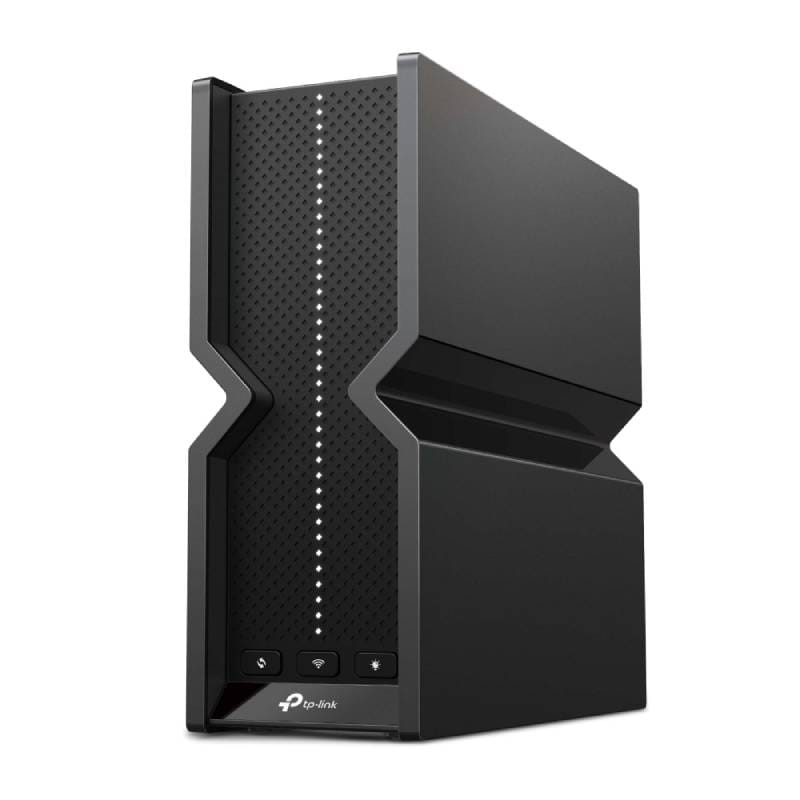
TP-Link’s Archer BE550 (also known as BE9300) is a tri-band Wi-Fi 7 router built for high speed and wide coverage. It supports 2.4, 5 and 6 GHz bands concurrently (320 MHz on 6 GHz) and delivers up to 9.2 Gbps total throughput. This means it can handle multiple 4K/8K streams, cloud gaming and heavy downloads easily. In real homes, its six internal high-gain antennas with beamforming help reach distant rooms. It’s a great upgrade for families streaming, video-calling and using many smart devices at once.
All of the Archer BE550’s Ethernet ports are multi-gig: one 2.5 Gbps WAN and four 2.5 Gbps LAN ports. That ensures any fibre connection up to 2.5 Gbps can be used at full speed, and wired devices (PCs, NAS) get ultra-fast links. There’s also a USB 3.0 port for a printer or file server. Setup is straightforward with TP-Link’s Tether app. The BE550 is also EasyMesh-compatible, so you can add a TP-Link extender for even more coverage if needed[2].
Why this pick: The Archer BE550 combines cutting-edge Wi-Fi 7 speed and features at a reasonable price. Its balanced performance – very fast wireless, multi-gig ports, good range – makes it suitable for most UK homes upgrading an old router.
✅ Pros:
- Blazing-fast tri-band Wi-Fi 7 (up to 9.2 Gbps) with Multi-Link Operation for smooth 4K/8K streaming and gaming.
- Five multi-gigabit ports: one 2.5 Gbps WAN and four 2.5 Gbps LAN ports for full-speed wired connections.
- Six high-gain internal antennas with beamforming for strong, broad coverage.
⛔ Cons:
- Large, bulky design means it needs decent shelf space (may not suit very compact setups).
Main standout feature: The Archer BE550’s headline is its five 2.5G Ethernet ports and 9.2 Gbps tri-band Wi-Fi. Together these let you use top-tier fibre speeds both wirelessly and over cable.
Who it’s best for: Most UK homes. It’s ideal for a family upgrading from an ISP router – good for everyday browsing, plenty of 4K streams, smart home gadgets and moderate gaming. It even works as a basic mesh by adding TP-Link extenders if you have dead zones.
Amazon UK Check: 👉 Check price on Amazon UK – The Archer BE550 offers an excellent mix of speed, range and ports for the money. Check Amazon UK for the latest price and UK availability (it’s often sold bundled with extenders or deals on multi-packs).
2. ASUS RT-BE88U – Best Wi-Fi 7 router for gaming and wired setups
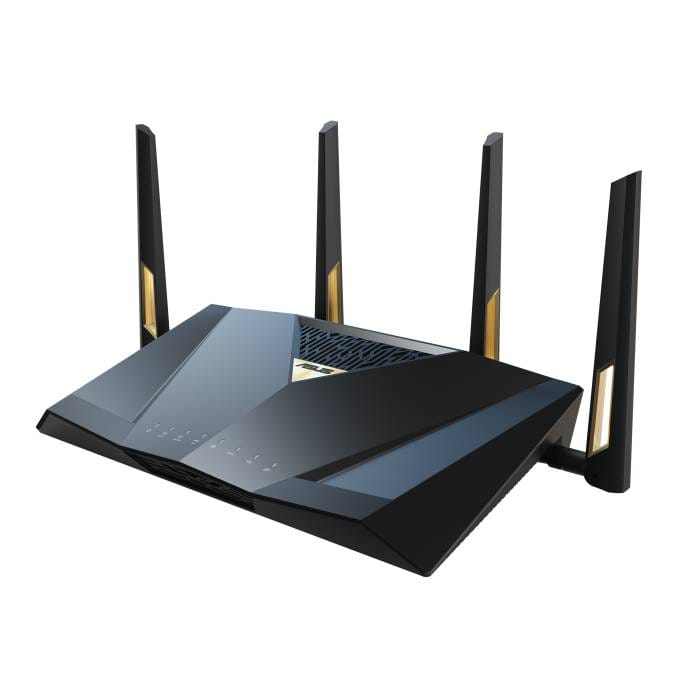
The ASUS RT-BE88U is a high-performance dual-band Wi-Fi 7 router built for enthusiasts. It runs Wi-Fi 7 on 2.4 GHz and 5 GHz (using Multi-Link Operation) with speeds up to 7.2 Gbps. Unlike tri-band models, it focuses on powerful wired and core wireless performance. The BE88U’s real specialty is wired networking: it packs dual 10Gbps (one SFP+ and one RJ45) ports plus four 2.5Gbps and four 1Gbps ports, giving up to 34Gbps total LAN/WAN capacity[3]. This is overkill for typical home use but perfect if you have a 10Gbps fibre line, a fast NAS, or many wired devices. A quad-core 2.6 GHz CPU powers it, ensuring the router can handle heavy loads without lag.
Gaming features include gaming QoS, detachable high-gain antennas for better signal, and advanced QoS settings in the ASUS Router app. There’s also USB 3.0/3.2 ports for storage or 4G/5G failover. Built-in AiMesh means it can join an ASUS mesh network, and AiProtection Pro (Trend Micro) provides enterprise-grade security. In short, the BE88U is a “plug it in and forget it” router for demanding users: whether you’re streaming 8K VR, hosting a LAN party, or managing a home office server, it won’t break a sweat.
Why this pick: The RT-BE88U offers unmatched wired throughput and customization. It’s our pick for gamers and power users who need a super-fast, configurable router with exceptional wired networking.
✅ Pros:
- Massive wired throughput: dual 10Gbps (SFP+ and RJ45) plus 4×2.5Gbps ports (up to 34Gbps total capacity).
- Up to 7200 Mbps Wi-Fi 7 (Dual-band MLO with 4K-QAM) for top wireless speeds and low latency.
- Built-in ASUS AiProtection Pro security and AiMesh support for safe, whole-home networking.
⛔ Cons:
- Premium price: it’s an expensive unit aimed at enthusiasts, so average users may find it overkill.
Main standout feature: The BE88U’s highlight is its dual 10 Gigabit Ethernet ports combined with top-tier Wi-Fi speed. This gives unprecedented wired performance (ideal for NAS or gaming PC) while still delivering blazing Wi-Fi7 throughput.
Who it’s best for: Gamers, content creators and tech-savvy users. If you run a home office or server, play VR/AAA games, or simply want the strongest wired/Wi-Fi network, the BE88U excels. It’s also great for future-proofing – the advanced QoS, VPN and mesh features suit anyone wanting deep network control.
Amazon UK Check: 👉 Check price on Amazon UK – The RT-BE88U is a specialist router with a matching cost. If you need its extreme performance, check Amazon UK for current pricing. Its value comes from top-level features (dual 10G ports, AiProtection, Wi‑Fi 7 MLO) that few other routers offer.
3. Amazon eero Max 7 – Best Wi-Fi 7 mesh router for smart homes
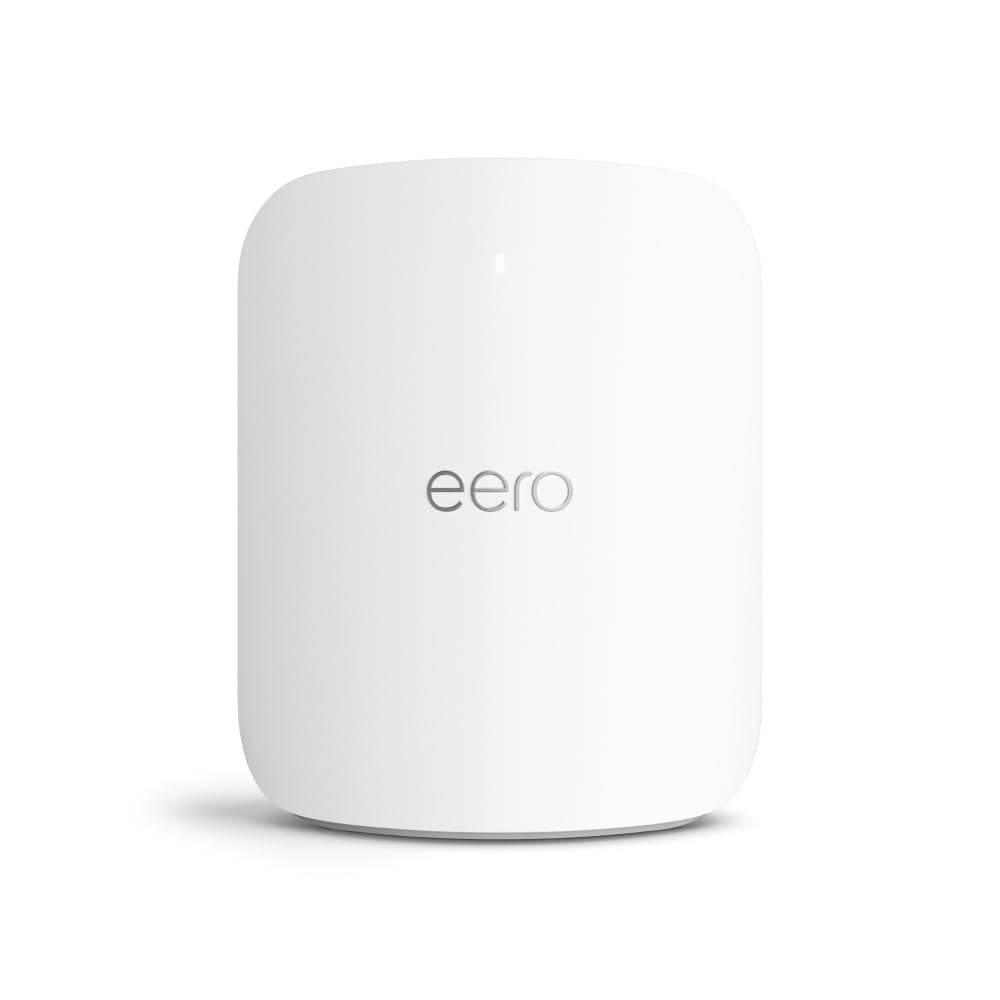
The Amazon eero Max 7 is a tri-band mesh router that brings Wi-Fi 7 to the whole home. It supports 2.4, 5 and 6 GHz bands concurrently and advertises up to 4.3 Gbps wireless throughput (when combining bands). More importantly, it’s built as a mesh system. The Max 7 uses Amazon’s patented TrueMesh technology to auto-manage connections between nodes for maximum reliability. A 2-unit or 3-unit pack can cover large houses – eero claims a 3-pack covers up to ~7500 sq ft and 250+ devices[4]. Adding extra eero units seamlessly extends the network under a single Wi-Fi name.
Each eero Max 7 node has two 10Gbps Ethernet ports (LAN/WAN auto-sensing) and two 2.5Gbps LAN ports. That lets you link it to multi-gig internet (10Gbps fibre) or use wired backhaul for even more speed. One unique feature is that each unit can act as a smart home hub: it has built-in Thread and Zigbee radios to connect smart devices directly. Setup and management are done entirely through the intuitive eero mobile app.
While not as configurable as the ASUS, the eero’s strength is simplicity and coverage. It delivers very low latency and stable connections for gaming, video calls and VR. The eero Plus subscription (6 months free with purchase) adds security and parental controls, but even without it you get basic firewall, scheduling and guest network. In summary, the Max 7 is a premium router that turns whole-home Wi-Fi 7 into a plug-and-play experience.
Why this pick: The eero Max 7 is our best pick for large homes and smart-home fans. Its mesh design and app make it easy to get wall-to-wall Wi-Fi 7 coverage, and it includes smart home hub capabilities not found in typical routers[5].
✅ Pros:
- Tri-band mesh system: TrueMesh self-managing network with up to 230 m² (8.5m radius) coverage per node, connecting 250+ devices.
- Multi-gig wired support: 2×10GbE (WAN/LAN auto-sensing) and 2×2.5GbE ports per unit, delivering up to 9.4 Gbps wired backhaul.
- Smart home hub & security: Built-in Thread/Zigbee radios for IoT devices, and eero Plus advanced security (6-month trial) with ad-blocking and parental controls.
⛔ Cons:
- Higher cost per node and fewer advanced settings: For most features you rely on the eero app, and adding multiple units raises cost.
Main standout feature: The eero Max 7’s strength is whole-home mesh coverage with Wi‑Fi 7. Its TrueMesh intelligence ensures seamless fast Wi-Fi throughout large spaces, and each node’s 10G/2.5G ports provide multi-gig backbone speeds.
Who it’s best for: Homeowners who want simple, robust Wi-Fi without fuss. It’s ideal for larger houses or smart homes with many devices. If you want great coverage (avoid dead zones) and built-in smart device support (Thread/Zigbee) more than manual network tweaking, the eero Max 7 is a top choice.
Amazon UK Check: 👉 Check price on Amazon UK – The eero Max 7 is a premium mesh system, so it costs more. However, its easy setup and solid coverage for smart-home households justify the price. Check Amazon UK for deals, especially on 2-pack/3-pack kits, to get whole-home Wi-Fi 7 at the best value[6].
Comparison Table
|
Feature |
TP-Link Archer BE550 |
ASUS RT-BE88U |
Amazon eero Max 7 |
|
Router type |
Traditional
router (tri-band) |
Traditional
router (dual-band AiMesh-capable) |
Tri-band
mesh router system |
|
Wi-Fi standard |
Wi-Fi
7 (802.11be) |
Wi-Fi
7 (802.11be) |
Wi-Fi
7 (802.11be) |
|
Bands |
2.4 GHz
+ 5 GHz + 6 GHz |
2.4 GHz
+ 5 GHz (dual-band) |
2.4 GHz
+ 5 GHz + 6 GHz |
|
Max wireless speed |
Up
to 9.2 Gbps total (574 Mbps @2.4G, 2880 Mbps @5G, 5760 Mbps @6G) |
Up
to 7.2 Gbps total (Wi-Fi 7 dual-band) |
Up
to 4.3 Gbps (combined tri-band) |
|
Max wired speed |
1×
2.5 Gbps WAN, 4× 2.5 Gbps LAN (all multi-gig) |
1×
10 Gbps SFP+, 1× 10 Gbps (WAN/LAN), 4× 2.5 Gbps, 4× 1 Gbps |
2×
10 Gbps (auto-sensing WAN/LAN), 2× 2.5 Gbps LAN |
|
Ethernet ports |
5×
2.5G + 1× 1G + 1× USB 3.0 |
1×
10G SFP+, 1× 10G, 4× 2.5G, 4× 1G, 2× USB 3.0 |
2×
10G, 2× 2.5G (plus 1× USB-C power port per unit) |
|
Mesh support |
EasyMesh-compatible
(with TP-Link extenders) |
ASUS
AiMesh-compatible |
Amazon
TrueMesh (built-in for multi-node) |
|
Gaming features |
4K-QAM
& MLO for throughput; HomeShield security |
Adaptive
QoS, game booster (WTFast), powerful CPU |
Low
latency mesh Wi-Fi; no dedicated gaming QoS |
|
Smart home hub |
No
built-in hub (works with Alexa) |
No
built-in hub |
Built-in
Thread & Zigbee hub |
|
App control |
TP-Link
Tether app (Android/iOS) |
ASUS
Router app (Android/iOS) |
Amazon
eero app (Android/iOS, very simple) |
|
Security features |
TP-Link
HomeShield (malware/VPN, optional pro) |
AiProtection
Pro (Trend Micro) |
eero
Plus (subscription, 6-month trial) and basic firewall |
|
Best networking strength |
Balanced
speed & coverage for everyday use |
Ultra-high
wired throughput, strong CPU |
Whole-home
mesh coverage & device support |
|
Best for |
Most
UK homes (streaming, IoT, general use) |
Gamers
/ power users / advanced setups |
Large
homes, smart-home enthusiasts |
TP-Link Archer BE550 → Check Price on Amazon UK
ASUS RT-BE88U → Check Price on Amazon UK
Amazon eero Max 7 → Check Price on Amazon UK
What to Consider Before Buying a Wi-Fi 7 Router
Broadband speed: Wi-Fi 7 can handle extremely fast links, but it only helps if your internet plan is close to gigabit speeds. If you have a 100–300Mbps fibre package, a Wi-Fi 6/6E router might already be enough. However, if you have (or plan to get) 1 Gbps+ service, a Wi-Fi 7 router will let you use that bandwidth wirelessly. Also remember that backhaul speeds to wired devices depend on Ethernet ports, so multi-gig ports are useful for multi-gig broadband.
Device compatibility: To fully benefit from Wi-Fi 7, your devices (phone, laptop, PC, etc.) need Wi-Fi 7 adapters. Older devices will still connect (at Wi-Fi 6 or 5 speeds). Consider if you have enough Wi-Fi 7-capable devices; if not, you still get good coverage and some speed gains (bigger channels, MLO) even in Wi-Fi 6 mode.
6 GHz range: The 6 GHz band in Wi-Fi 7 provides huge speed but has shorter range and wall-penetration than 2.4/5 GHz. Keep this in mind when placing the router – put it in a central, elevated position. If you need coverage to distant rooms, consider a mesh system (like eero) or additional access points.
Router vs Mesh: A single router (Archer or ASUS) can be enough for apartments or moderate houses. For very large or multi-storey homes, a mesh setup (like eero nodes or multiple ASUS AiMesh units) ensures consistent speed everywhere. Dual-band vs tri-band matters less if you’re doing wired backhaul or small mesh networks, but tri-band routers can dedicate a band for backhaul links.
Gaming & latency: If you play competitive online games, wired Ethernet will always give the lowest ping. These routers all support wired connections – the ASUS is best here with dual 10GbE ports. Wi-Fi 7 helps reduce lag wirelessly, but every router still has more latency than a cable. Look for routers with good Quality of Service (QoS) settings if you want to prioritise gaming traffic.
Multi-gig ports: Check how many multi-gig ports you really need. The Archer BE550’s five 2.5G ports are generous for the price. The ASUS has 10G ports if you have a 10Gbps line. The eero Max 7 has dual 10G plus 2.5G. If your switches, NAS or computers support 2.5G/10G, take advantage of these ports.
Smart home devices: If you use lots of Zigbee/Thread/Matter smart devices, a hub-enabled router is handy. Only the eero Max 7 has built-in support for Thread/Zigbee[7] – other routers will require a separate hub. On the other hand, all three routers offer solid app management and integrate with voice assistants (Alexa, etc.) to control guest networks or guest access.
Router placement: Even the best router can’t cover a whole house if poorly placed. Aim to put the router centrally, away from thick walls or metal objects. If using mesh, place nodes far enough to extend range but not too far that they lose signal to each other.
Compatibility: These routers can replace your ISP’s router/modem. The eero, for example, can work with any UK ISP (just put it in router mode). The Archer and ASUS can also handle bridge or router mode with most modems. If your broadband tech is unusual (e.g. GPON ONT), ensure the router can get an IP address from the ISP.
Security & controls: All three have parental control options. The Archer BE550 (HomeShield) and ASUS (AiProtection) include basic content filtering and malware protection for free. The eero offers more advanced security via subscription. If you need strict parental controls or antivirus, check whether you want a free built-in solution or a paid service.
Amazon UK pricing: Since this is an Amazon UK guide, keep an eye on Amazon UK deals, coupons and bundles. Sometimes routers are cheaper in packs or sale events. Also note Amazon’s return and warranty policies in the UK. We recommend checking “Check price on Amazon UK” links to find the best current price and confirm model availability.
Frequently Asked Questions
Is Wi-Fi 7 worth it in 2026?
For users with many devices, gigabit-class broadband and high-performance needs, yes. Wi‑Fi 7 gives real benefits – roughly double the speed and much lower latency than Wi‑Fi 6. However, for most everyday use (social, streaming HD, basic gaming), a good Wi‑Fi 6E router would still suffice for now. If you have a fast fibre plan and Wi-Fi 7 devices, upgrading will future-proof your network.
Do I need Wi-Fi 7 if my broadband isn’t gigabit?
Not necessarily. If you only have, say, 100–200 Mbps internet, you’ll hit that limit with older routers. But Wi‑Fi 7 can still help your local network: faster file transfers and more stable multi-device connections. It also handles congestion better (through MLO and wider channels). Still, if you never plan to exceed gigabit internet, you might wait – Wi-Fi 7 routers tend to be pricier.
Is a single router or a mesh system better? A single high-end router (like the Archer BE550 or ASUS BE88U) can cover a small to medium home well. A mesh (like eero) is better for large homes with dead zones, or if you need very even coverage. Mesh allows easy expansion – just add another node. If you do get a mesh router (like eero), use wired backhaul (Ethernet) if possible to maximise speed between units.
Which Wi-Fi 7 router is best for gaming? The ASUS RT-BE88U is our top gaming pick thanks to its blazing wired speeds and fast CPU. It can handle dozens of players or huge streams simultaneously with very low lag. The Archer BE550 also has MLO and fast Wi-Fi that works well for casual gaming. The eero Max 7 will be fine for gaming, but its strength is coverage rather than raw gaming features.
Which of these is best for most UK homes? Generally, the Archer BE550 is the safest all-around bet for a UK household. It offers a strong balance of high speed, whole-home coverage and value. It’s very capable for 4K streaming, smart homes and even moderate gaming, without being as pricey as the ASUS or eero.
Final Verdict
- TP-Link Archer BE550 is the best overall choice for most UK homes, offering a strong balance of Wi-Fi 7 speed, multi-gig Ethernet ports and everyday usability → Check price on Amazon UK
- ASUS RT-BE88U is the best option for gamers, home office users and tech enthusiasts who want powerhouse wired performance and advanced network control → Check price on Amazon UK
- Amazon eero Max 7 is the best mesh option for smart homes and larger spaces where easy setup and whole-home coverage matter most → Check price on Amazon UK
We update our comparisons regularly to keep everything accurate, up to date, and UK-focused.