Huawei MateBook Fold Ultimate Design Review – Is an 18-Inch Foldable Laptop Actually Practical?
Reviewed for design, foldable display, portability, productivity, performance and real-world practicality – updated 2026
Quick summary
- The Huawei MateBook Fold Ultimate Design is a real, shipping foldable PC with an 18-inch display that folds down to a 13-inch working size, not just a concept render.
- Its biggest appeal is obvious: a desktop-like canvas in a bag-friendly form, with a built-in stand and detachable keyboard aiming to replace both a laptop and, for some users, a second screen.
- Huawei has gone unusually premium here, with an elaborate hinge, leather-like exterior finishes, an ultra-thin chassis, tandem OLED technology and an unmistakably futuristic design language.
- The concept makes genuine sense for remote work, research, document-heavy jobs, presentations, note-taking and media use, especially for people who value screen space more than absolute lap comfort.
- The big questions are equally real: price, screen durability, app compatibility on HarmonyOS, long-term crease wear, and whether a separate keyboard undercuts the simplicity people expect from a laptop.
- UK availability appears limited or unconfirmed at the time of writing, and the device is not listed on Huawei’s current UK laptop pages.
- In practical terms, it looks best suited to early adopters, executives, consultants, researchers and creators who are willing to live with some compromise in exchange for a very unusual mobile workspace.
👉 Scroll down for the full Huawei MateBook Fold review, specs, practical use cases, pros, cons and final verdict.
Opening and context
Introduction
For years, laptops have followed the same broad script. The screen opens, the keyboard sits below it, the touchpad lives underneath, and every improvement tends to be incremental: a better chip, a brighter panel, a lighter chassis, a longer battery life. Even the most premium ultrabooks still work within that basic clamshell formula. When manufacturers have tried to break out of it, the results have often felt niche, awkward, or too expensive to matter. Lenovo’s ThinkPad X1 Fold and ASUS’s Zenbook 17 Fold OLED proved there was at least some appetite for a foldable PC, but they also showed just how hard it is to make the idea feel natural rather than experimental.
Huawei’s MateBook Fold Ultimate Design asks a more ambitious question: what if your laptop could open into something much closer to a desktop-sized display, then close again into a footprint that still feels portable? On paper, that sounds exactly like the kind of breakthrough mobile workers have wanted for years. More screen for spreadsheets. More room for research. More space for timelines, slide decks, browser tabs and side-by-side documents. Less need to carry around a separate portable monitor.
That is why the Huawei MateBook Fold Ultimate Design review question matters more than usual. The headline feature is not simply that it folds. The headline feature is what that fold gives you: an 18-inch workspace that travels like a much smaller machine. Yet the practical questions are just as important as the spectacle. Is it comfortable to type on? Does the separate keyboard help or hinder? Is HarmonyOS ready for serious work? How durable does a giant foldable OLED screen feel after the novelty wears off? And, crucially for British readers, can you even buy one officially in the UK? [1]
This article is for readers who are intrigued by the future of foldable laptops but want more than launch-day excitement. Because the MateBook Fold remains a China-first product with limited UK visibility, this is a deep, researched review built from Huawei’s own product and support documents, Reuters reporting and reputable hands-on coverage from journalists who have actually spent time with the device. The focus is straightforward: is the big foldable idea genuinely useful in real working life, or is it mostly a very expensive glimpse of tomorrow? [2]
What Is the Huawei MateBook Fold Ultimate Design?
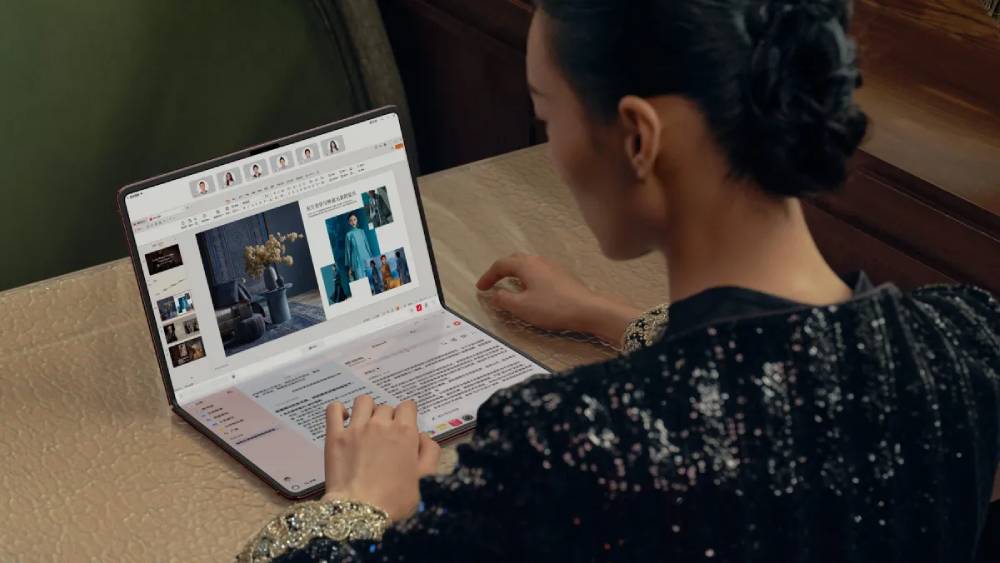
The Huawei MateBook Fold Ultimate Design is Huawei’s first foldable PC, launched in China on 19 May 2025 as part of the company’s initial HarmonyOS laptop push. Officially, it is a Huawei “HarmonyOS computer”; in practical terms, it sits somewhere between a laptop, a large tablet and a portable all-in-one workspace. It has a single foldable 18-inch flexible OLED display that can lie nearly flat, stand upright with its integrated kickstand, or fold into a smaller 13-inch laptop-like shape. Unlike a conventional laptop, there is no permanently fixed hardware keyboard attached to the base. Instead, the lower half of the folded display can become a virtual keyboard, or you can use the included detachable wireless keyboard. [2]
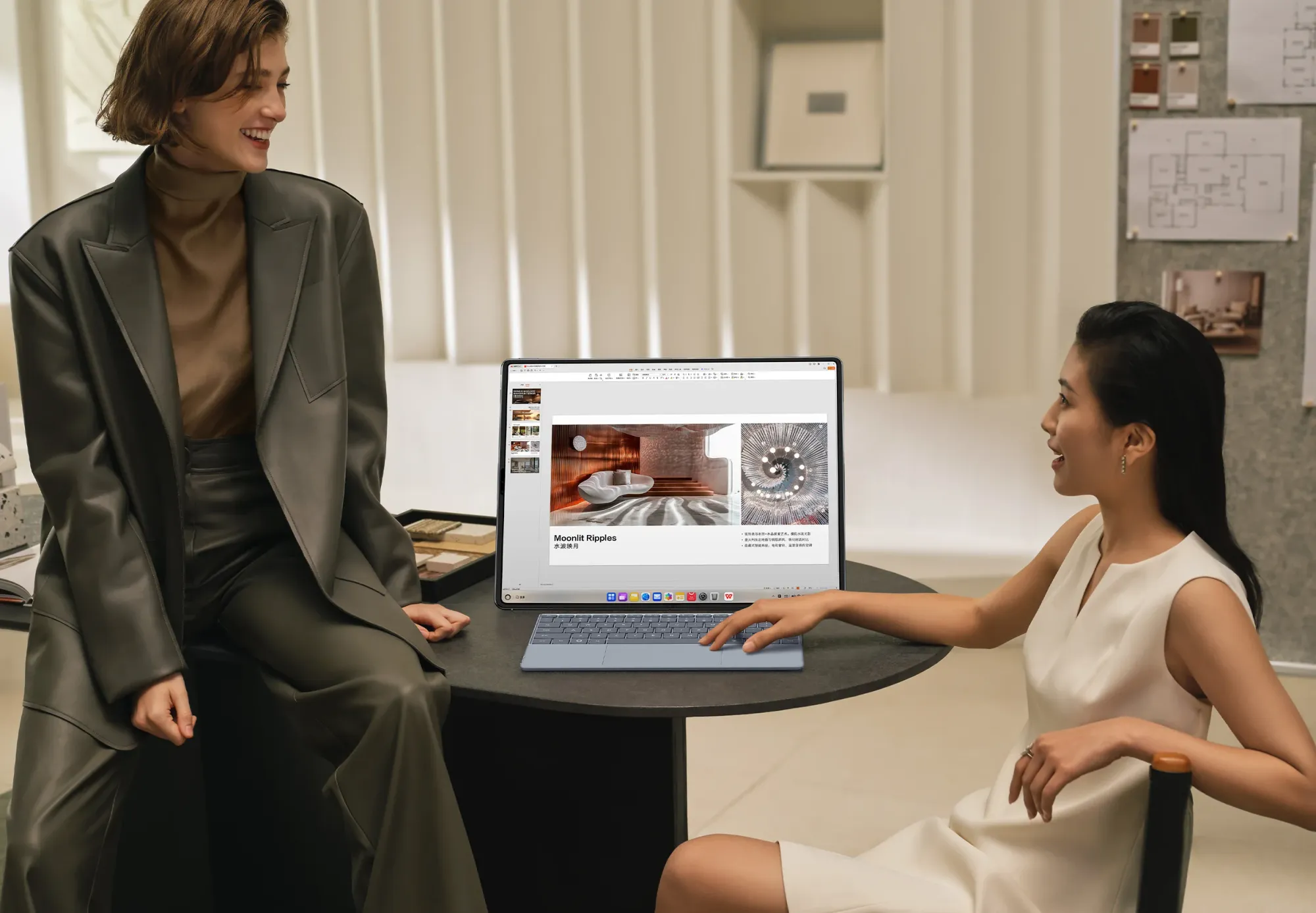
That makes it quite different from a normal laptop. A standard laptop gives you a fixed keyboard deck and a fixed relationship between screen and input. The MateBook Fold lets those relationships change. Open it fully, and it behaves more like an 18-inch tablet-style computer with desktop aspirations. Fold it at an angle and it behaves more like a hybrid laptop. Prop it up on a desk with the physical keyboard in front and it starts to resemble a miniature desktop monitor setup.
It is also different from a tablet. Even a large premium tablet usually expects you to think in app-first, touch-first terms. The MateBook Fold is explicitly pitched as a computer, not just a slate. Huawei’s own materials emphasise desktop-style windowing, cross-device collaboration, AI note handling, document work and a PC operating environment on HarmonyOS 5. Reuters reported that Huawei launched it as part of a broader strategy to bring HarmonyOS to laptops and offer an alternative to Windows and macOS, with more than 150 HarmonyOS computer applications available at launch.
The 18-inch screen is the whole point. It changes expectations around portable work. On a train, in a hotel, at a client site or in a shared workspace, most people usually choose between portability and screen size. Huawei is trying to make that choice less absolute. In that sense, the MateBook Fold matters well beyond Huawei itself. It belongs to a wider trend that Lenovo and ASUS helped define: foldable PCs that try to collapse laptop, tablet and second-screen workflows into one machine. The question is whether Huawei has made the formula feel substantially more polished. [3]
Hardware and experience
Design and Build Quality
From a pure industrial design perspective, the Huawei MateBook Fold is one of the most striking laptops of the last few years. Huawei says it weighs about 1.16kg without the keyboard, measures 7.3mm to 7.6mm when opened, and 14.9mm when closed. That is unusually slim for any large-screen computer, let alone one built around a flexible 18-inch foldable panel. TechRadar’s hands-on report went further, describing it as astonishingly thin and light in person, while ITPro said it felt like a lightweight alternative to carrying a standard laptop plus extra kit on longer journeys.
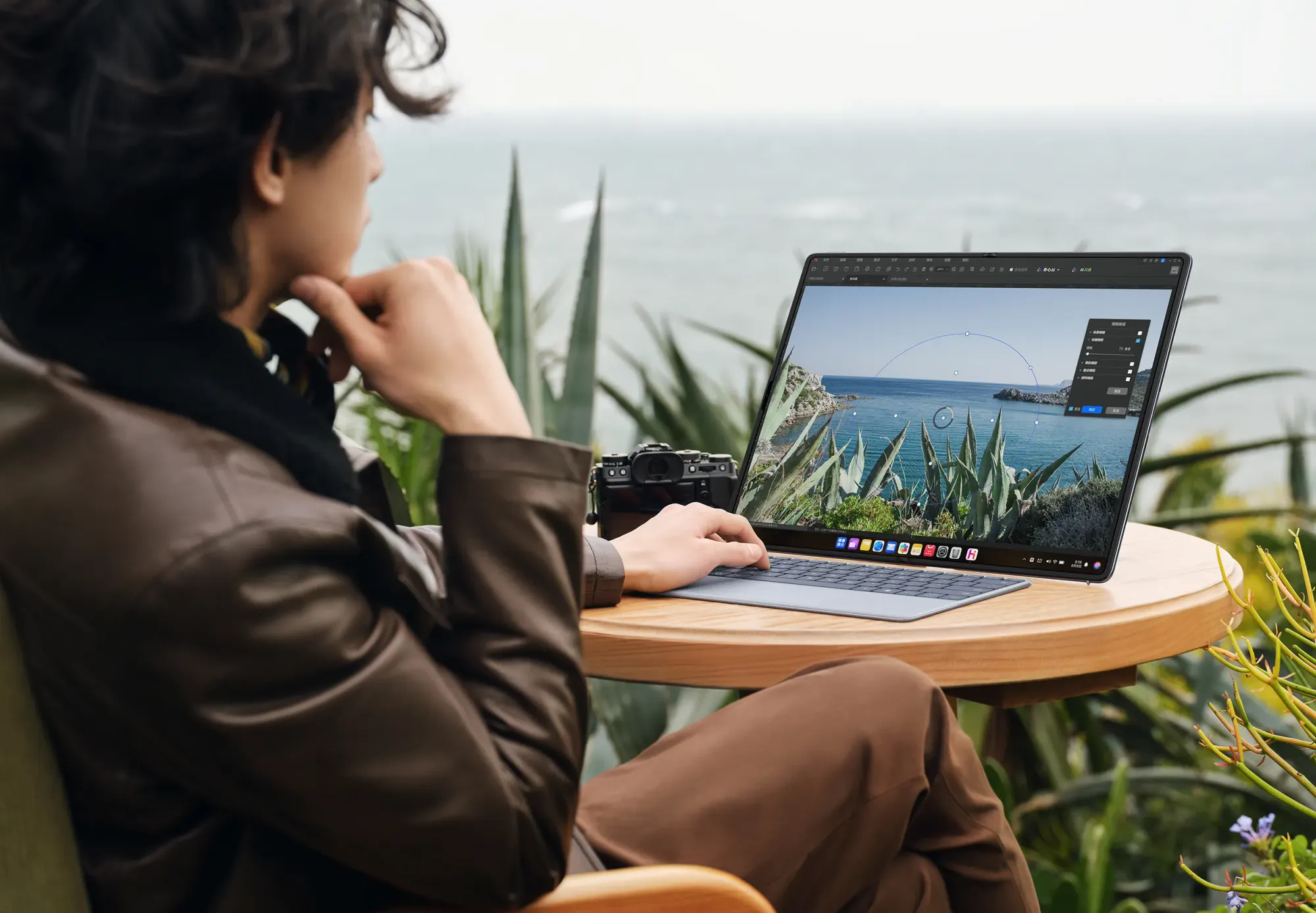
Huawei has clearly designed the MateBook Fold to feel premium rather than merely experimental. The official product page talks about leather-like exterior finishes with a silicon-based coating, metal detailing, a carbon-fibre support layer under the display and a zirconium-based liquid metal hinge shaft. There is also an integrated rear stand, which matters more than it might sound at first glance. A foldable screen this large only becomes practical if you can stand it up securely on a desk without needing a third-party case or prop. Huawei’s implementation appears to understand that.
The hinge is central to the whole proposition. Huawei calls it a “Basalt waterdrop hinge” and says it supports assisted opening from 0° to 20°, stable hovering from 30° to 150°, and near-flat self-opening from 170° to 180°. But the official page also includes an unusually candid note: the self-flattening behaviour may weaken as open-and-close cycles increase. That small disclaimer matters. It suggests Huawei knows foldable mechanics are not magic. Moving parts wear. Tolerances shift. What feels tight and dramatic on day one may feel slightly different after months of use.
In daily carrying terms, the MateBook Fold sounds more believable than many foldable concepts because it becomes a 13-inch-sized object rather than staying tablet-wide all the time. TechRadar compared carrying it to holding a large book, while also noting that the keyboard attaches magnetically to the outside and the magnets felt strong enough to make the combined package feel coherent. That is encouraging, because detached accessories are often where convertible ideas start to fall apart in practice.
Still, this is not a mainstream-ready design in every sense. It looks more convincing on a desk than on a lap. It looks better suited to careful users than careless commuters. And Huawei’s own support materials reinforce that point by warning against screen pressure, hard knocks, sharp objects and pressing around delicate areas such as the camera zone. The company also offers a two-year accidental screen replacement benefit and paid screen replacement options in China, which is reassuring in one sense but also a reminder that this is a product category where damage risk remains part of the ownership story. [4]
So, does the design feel practical? Yes, but selectively. It feels closer to a luxury early-adopter tool than a mass-market laptop. The engineering is impressive. The portability is real. But it still asks the user for more care, more desk space and more flexibility than a normal clamshell notebook. That is exciting if you want something different. It is less compelling if you simply want the easiest possible daily work machine.
Display Experience: The Main Attraction
If the chassis gets attention, the screen is the reason the Huawei MateBook Fold exists. Officially, Huawei gives it an 18-inch dual-layer flexible OLED panel when fully unfolded and a 13-inch size when folded into laptop mode. The aspect ratio is 4:3 when open and 3:2 in the folded half-screen format. Resolution is 3296 × 2472 open, dropping to 2472 × 1648 per half in folded mode. Huawei also lists a 92 per cent screen-to-body ratio, P3 wide colour gamut, 700 nits typical brightness, 1600 nits peak HDR brightness, 2,000,000:1 contrast in HDR mode, LTPO adaptive refresh technology and 1440Hz high-frequency PWM dimming. In simple terms, these are premium display numbers by any laptop standard.
The importance of 18 inches is not just visual drama. It is functional. A screen this size can finally make foldable computing feel less like a gimmick and more like a proper productivity tool. Documents breathe more easily. Two pages of text feel natural. Research with multiple windows becomes more workable. Spreadsheet columns are less cramped. Presentation prep, report writing and general admin all benefit from simple breathing room. Huawei’s own software demonstrations lean heavily into AI-assisted note work, presentation making and multi-window workflows, while support pages show the device rotating automatically between portrait and landscape unfolded modes depending on how it is held or placed. [5]
There is also a media argument here. Huawei pairs the display with six speakers and pitches the Fold not only as a work device but as an entertainment machine. An 18-inch OLED panel with this brightness ceiling should be genuinely lovely for films, streaming and large-format web browsing, especially in hotel rooms or short stays where carrying a monitor or TV is impossible. TechRadar’s hands-on said the content remained easily legible even in a brightly lit environment, which matters because glare and brightness are often where foldable OLEDs first feel compromised.
Touch interaction is a major part of the experience. Huawei’s support guides describe direct touch gestures, a customisable virtual keyboard that appears with an eight-finger tap, and a virtual touchpad area that can handle cursor control without a physical mouse. That makes the MateBook Fold much more than a big screen with a novelty bend. Huawei is trying to make touch-led laptop use feel native, not awkwardly bolted on. TechRadar’s writer came away convinced that HarmonyOS touch responsiveness felt smoother than Windows-based touch laptops they had used, though that remains a subjective hands-on impression rather than a universal benchmark.
The obvious concern is the crease. No foldable device escapes that question. Huawei does not market the MateBook Fold as “crease-free”, and long-term panel wear remains unknown. TechRadar reported a minimal crease in brief hands-on use, which is encouraging, but brief demos are not the same thing as six months of ownership. Huawei’s own materials claim the tandem OLED structure increases display lifespan by three times and improves power efficiency by 30 per cent, while the screen structure uses a non-Newtonian buffer layer and carbon-fibre support layer to improve impact resistance by three times in lab conditions. Those are meaningful claims, but they are still Huawei’s lab claims, not independent long-duration testing.
More tellingly, Huawei’s support pages advise owners not to press, scratch or pack sharp objects against the display, and not to remove the inner screen layer. That does not make the Fold fragile in a useless sense, but it does underline that an 18-inch foldable OLED is not yet carefree technology. It is the sort of display you respect a bit more than a standard laptop lid.
So is the screen genuinely useful or just visually impressive? On the evidence so far, it is both. Visually, it is the star attraction. Practically, it is large enough to unlock real work advantages that smaller foldable PCs have struggled to deliver. The MateBook Fold’s display is not simply about showing off that a screen can bend. It is about making a large screen portable enough that people might actually carry it. That is why this section matters more than anything else in the Huawei MateBook Fold Ultimate Design review.
Performance, RAM and Storage
Huawei’s official specs page now confirms the processor as the Kirin X90, paired with 32GB of memory and either 1TB or 2TB of SSD storage. The battery is rated at 74.69Wh, while connectivity includes two USB-C ports, Wi‑Fi 6-class 802.11ax support, Bluetooth 5.2 and Huawei’s “Star Flash” short-range connectivity on the Chinese specs page. At launch, Reuters reported that Huawei did not initially disclose the chip publicly; a month later, Reuters cited TechInsights analysis saying the MateBook Fold uses a Kirin X90 made by SMIC on its older 7nm N+2 process rather than a newer 5nm-class node.
That combination tells you a lot about where the MateBook Fold sits. The 32GB RAM figure is generous and clearly productivity-focused. It should be more than enough for heavy browser tab use, large documents, video calls, note apps, multiple windows and a fair bit of creative multitasking. The storage options are suitably premium too. On paper, there is no obvious everyday bottleneck for office-style work.
Where things get less certain is absolute performance. Huawei’s public materials focus far more on integration, portability and form factor than on benchmark bragging. The feature page does describe an ultra-thin internal architecture with dual fans and a copper-steel composite 3D vapour chamber, suggesting Huawei expects sustained everyday workloads rather than mere burst performance. But there is no independent evidence yet that this is a workstation-class machine for heavy rendering, high-end gaming or demanding cross-platform creative suites. And Reuters’ reporting on the chip manufacturing process suggests the silicon is not competing with the latest Apple, AMD or Qualcomm laptop chips on leading-edge node efficiency.
In practice, the sensible expectation is this: the Huawei MateBook Fold should be strong enough for productivity, browsing, conferencing, document work, research, presentation building and light media creation, especially since Huawei’s own support pages show built-in video editing, AI note summaries, formatting tools and desktop-style document workflows. But if your day job depends on mature pro apps, long exports, specialised plug-ins, heavy 4K timelines or Windows/macOS-first creative pipelines, that confidence becomes harder to sustain. Those capabilities are not officially confirmed in the way they would be on established workstation laptops.
Battery life is another area where caution is sensible. Huawei confirms the battery size and says the tandem OLED architecture is more power-efficient, but it does not provide a straightforward all-day usage claim on the public specs page. TechRadar explicitly said it could not meaningfully test endurance during its short hands-on. So while the 74.69Wh battery is respectable, the balance between a huge bright OLED screen and real-world stamina remains something potential buyers should treat as promising rather than proven.
Software and working life
Software and Productivity Experience
The MateBook Fold ships with HarmonyOS 5, though Huawei’s product and support pages make clear that some features arrive only after updates to HarmonyOS 6 or later. That matters because the software is not a side note here; it is central to whether the whole foldable concept works. A screen this unusual needs an operating system that knows how to move windows, rotate layouts, call up keyboards and adapt to changing postures without making the user fight the machine.
At launch, Reuters reported that HarmonyOS for computers offered more than 150 applications, including WPS Office and Meitu Xiu Xiu, while Huawei said the wider HarmonyOS ecosystem had more than 7.2 million developers and ran on over a billion devices by the end of 2024. That sounds healthy at ecosystem level, but for PC buyers in Britain the key point is simpler: 150 PC apps is a starting point, not the same thing as the mature app compatibility that Windows and macOS users take for granted. This is especially relevant if your workflow depends on specific business, finance, engineering or Adobe-class tools. [6]
Huawei has at least put real thought into foldable-specific interaction. The official feature page shows windows being flung across screens with a three-finger gesture, resized with five fingers, and expanded to fill upper and lower areas. In folded mode, the virtual keyboard can be called up with an eight-finger tap, and Huawei says the keyboard layout, spacing and appearance can be customised. Support pages go further, detailing a virtual touchpad area for pointer control and a direct-touch gesture system for opening, dragging and navigating content. In other words, Huawei has tried to solve the classic foldable-PC problem: how to make a screen-only lower half feel like more than a compromise.
There are also signs that the MateBook Fold is at its best inside Huawei’s own ecosystem. Huawei’s support documents describe “Super Device” phone collaboration, letting users mirror a phone on the desktop, drag files between devices, copy and paste text, and edit phone files from the PC. Huawei also promotes AI-powered note summarising, meeting formatting, rewrite tools and document understanding. Those features are potentially very useful for writers, researchers, students and business users who spend much of the day moving between notes, meetings and documents rather than specialist desktop software.
Still, the software story is not perfect. One of Huawei’s own support pages says the XiaoYi split-screen collaboration feature is “currently not supported” on the MateBook Fold. That is a small but revealing detail. It suggests HarmonyOS PC on this form factor is still maturing, and that not every feature from the broader Huawei PC pitch maps cleanly to the Fold.
What does that mean for real users? For writers, the Fold could be compelling: large screen above, notes or references below, AI tools for summarising drafts, and touch controls for quick navigation. For students, it could be excellent for reading PDFs, drafting essays and keeping research visible. For remote workers, presentations, collaborative calls and phone-PC crossover may be appealing. For designers, however, the absence of officially confirmed stylus support and the uncertain depth of pro-app compatibility keep it in “interesting” territory rather than “safe replacement” territory. For business buyers, the main software question is not whether HarmonyOS is clever. It is whether their exact apps, file flows and IT expectations are supported cleanly enough.
Typing, Accessories and Desk Setup
The MateBook Fold’s typing story is surprisingly important, because this is where many foldable devices succeed or fail. Huawei includes a detachable wireless keyboard in the box, and the official specs page lists 1.5mm key travel plus a pressure-sensitive touchpad. That already suggests Huawei knows the on-screen keyboard cannot be the whole answer for serious work.
The good news is that early hands-on reports are more positive here than many people might expect. ITPro said the software keyboard kept up impressively during a short demo, even at roughly 60 words per minute, while TechRadar found the physical keyboard more solid than expected and the force-sensitive touchpad dependable in brief use. Huawei’s support materials also show quite a bit of effort going into the virtual keyboard, including visual finger-position guidance and configurable settings.
Even so, the likely reality is straightforward: if you are writing an article, editing a presentation, managing spreadsheets or answering long emails, the separate keyboard is not optional in spirit even if it is optional in theory. The Fold looks far more complete on a desk with the screen propped up and the keyboard placed in front. In that arrangement, it starts to make real ergonomic sense. In laptop-style mode, it can work in a pinch; in true desk mode, it looks much more convincing.
That makes the MateBook Fold especially attractive for hotel desks, co-working spaces, meeting rooms and temporary home-office setups. You arrive with one device, open it into a large display, put the keyboard down, and get on with your day. That workflow looks ideal for travel writing, slide editing, big-browser research sessions and video calls. It looks less ideal for balancing the machine on your knees in a crowded departure lounge. [7]
[Image Suggestion: MateBook Fold set up on a desk with the screen unfolded on its stand and the separate keyboard placed in front, as if writing a long article.]
Portability and Travel Use
This is one of the most interesting parts of the Huawei MateBook Fold review, because the device’s biggest practical advantage may be travel rather than raw performance. On weight and thickness alone, Huawei has done something impressive. At about 1.16kg without the keyboard and roughly 1.45kg with it according to TechRadar’s hands-on, the Fold lands in ordinary ultraportable territory even while promising a much larger workspace when opened.
That opens up a genuinely useful possibility: for some people, the MateBook Fold could replace a normal laptop plus a portable monitor. That is not just marketing spin. ASUS made almost exactly that argument for its own Zenbook 17 Fold OLED, pitching foldables as a way to avoid packing two devices in the same bag. Huawei’s machine arguably pushes that logic further by going lighter and larger than the early foldable-PC attempts.
But portability is not the same as universal convenience. A large foldable screen can be brilliant on a hotel desk and mildly awkward in a cafe with tiny tables. Huawei’s own support articles show that the Fold works best either half-open between roughly 90° and 150°, or fully opened beyond 150° with enough space to stand or hold it properly. That means trains, planes and cramped seating rows are not automatically ideal environments for the full 18-inch experience. The Fold is portable, yes. It is not magically space-free.
Charging is comparatively simple. You get two USB-C ports and a Huawei 140W charger in the box. What Huawei has not publicly confirmed in its accessible specs is a neat “up to X hours” battery rating or a clearly advertised real-world fast-charging time for the Fold itself, so battery life remains one of the practical unknowns.
The bigger travel concern is durability. Huawei’s care instructions explicitly tell owners to avoid packing the machine with keys, cards, coins or other hard objects against the display, and to avoid pressure on sensitive areas. The company also offers China-specific screen benefits and service plans, which is useful if you live there and less comforting if you are importing the product elsewhere. In other words, the MateBook Fold could be a wonderful travel tool for careful users, but it is not the sort of laptop you would casually throw into any bag and forget about.
Real-World Use Cases
Remote work and productivity
For remote workers, this is perhaps the clearest use case. The Fold offers space for a document on one side and research or notes on the other, a built-in stand for desk use, and Huawei’s own note-summary and meeting-formatting tools. Phone collaboration also lets Huawei users mirror and manage handset content from the PC. If your day is built around WPS Office, browsers, PDFs, email, messaging and calls, the Fold’s layout makes a lot of sense. The main caveat is software breadth: if your remote job depends on very specific Windows or macOS software, HarmonyOS may still feel limiting.
Students and research
Students could benefit enormously from the shape of this device. A foldable 18-inch screen is ideal for journal articles, reading long PDFs, keeping notes open while drafting essays, or reviewing multiple sources without feeling boxed in. Huawei’s unfolded portrait mode and note AI tools only strengthen that case. What might hold students back is obvious: price. This is not remotely a student-budget device, at least not at its official launch price.
Creative work and editing
The Fold is potentially appealing for light creative work. Huawei’s own support pages confirm built-in photo and video editing functions in Gallery, and the large bright OLED screen should be excellent for image review, rough cuts and general content preview. Still, that is not the same thing as saying it replaces a high-end creator laptop. Heavy professional editing, specialist colour workflows, plug-ins and advanced desktop suites remain far less certain on HarmonyOS. Stylus support is not officially confirmed on Huawei’s public product pages, which limits how strongly one can recommend it for illustrators or pen-first designers.
Business presentations
In business settings, the MateBook Fold has obvious theatre. Opened on a desk, it looks premium and different. The screen size is well suited to slide work, visual review and one-to-one client conversations across a table. Huawei’s product materials even show presentation-building scenarios as part of the device pitch. For executives and consultants who spend time presenting ideas as much as processing data, that visual presence could be part of the appeal. The risk, again, is software compatibility and procurement practicality outside China.
Entertainment and media
An 18-inch OLED panel with six speakers and 1600-nit peak brightness is a persuasive entertainment proposition. On the road, the Fold could be better than most laptops for film watching, reading comics, browsing richly designed websites or catching up on shows in a hotel room. It is not the main reason to buy the device, but it is a meaningful bonus.
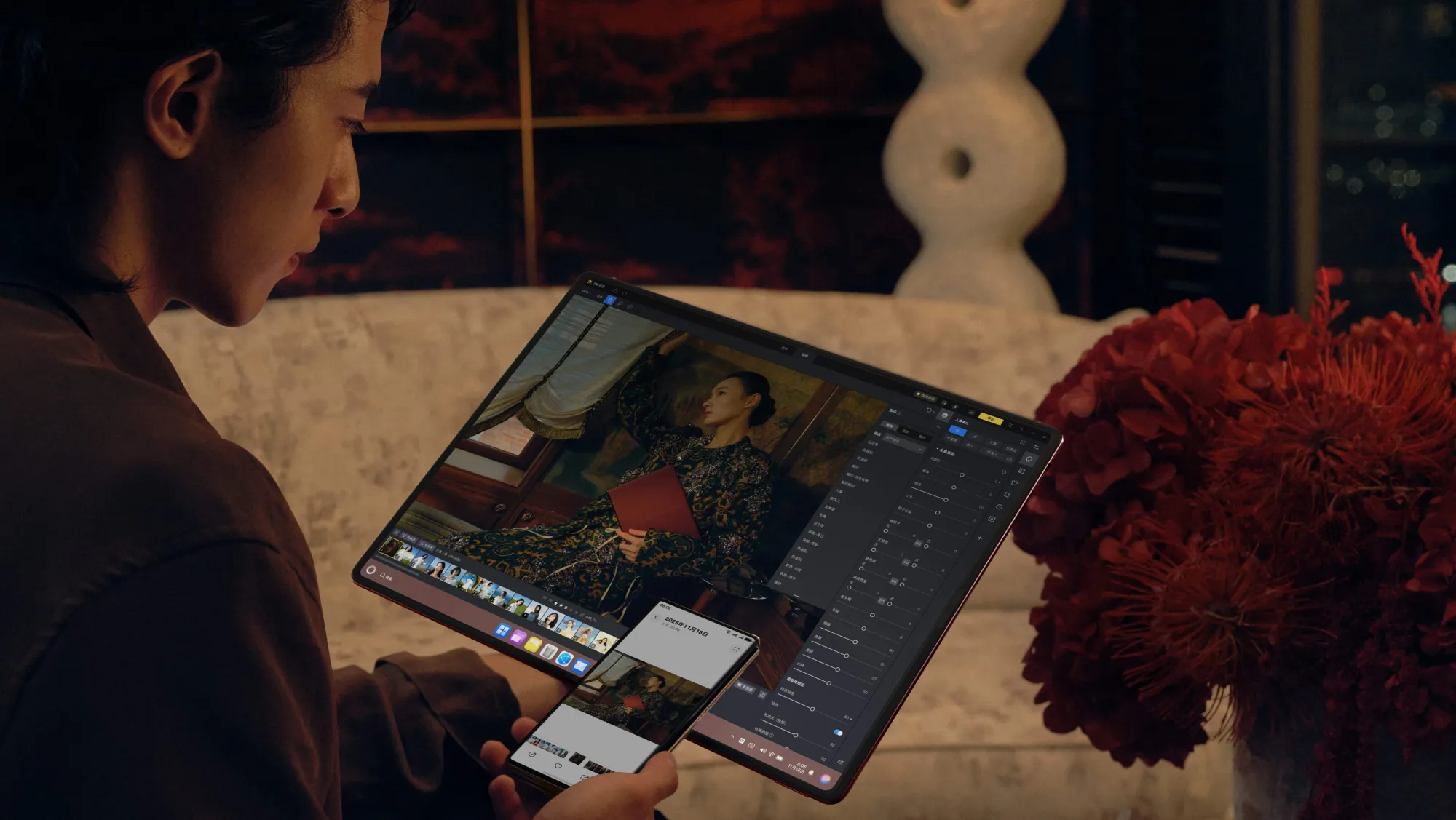
Travel and mobile work
This may be where the MateBook Fold earns its existence. If you travel often and hate the choice between portability and a comfortable screen, it offers a real answer. One bag, one machine, one large display when you arrive. But it is best for thoughtful travellers, not rough-and-ready ones. You need enough desk space, some care in packing, and a willingness to embrace a slightly different workflow.
Buying picture
Price, Availability and UK Buying Concerns
Huawei launched the MateBook Fold in China on 19 May 2025 with a starting price of CNY 23,999. Reuters converted that to roughly $3,328 at launch, while TechRadar later pegged it at around £2,490 in October 2025; using current exchange-rate tools in 2026, it lands roughly in the mid-£2,000s before any import costs, VAT or reseller mark-ups. In short, this is a premium device by any standard.
For UK readers, the bigger issue is not just the price. It is availability. Huawei’s current UK laptop pages list mainstream models such as the MateBook X Pro, but not the MateBook Fold. Huawei’s global laptop page also does not currently surface the Fold in the way the Chinese site does. Reuters and ITPro both described the Fold as China-only at launch and, in ITPro’s October 2025 review, still officially available only in mainland China.
That creates several practical concerns for British buyers. First, warranty and repair. Huawei’s dedicated service benefits for the MateBook Fold are documented on China support pages, including screen care, a two-year accidental screen replacement benefit and China-specific service access. The full screen component replacement price shown on Huawei’s support materials is CNY 6,539. That is useful transparency, but it also underscores how tied the product still is to its domestic service ecosystem.
Second, keyboard and localisation. The Chinese packaging list confirms that the wireless keyboard is included, but Huawei’s public UK channels do not confirm UK keyboard layout options, regional accessory support or broader retail bundles for Britain. Third, software expectations. HarmonyOS for computers launched with over 150 apps, which is meaningful but still a relatively limited PC ecosystem compared with Windows or macOS, especially for UK buyers with service, software and account habits built around Western platforms.
That is why cautious wording matters here. UK availability appears limited or unconfirmed at the time of writing. Amazon UK availability is not confirmed. And UK buyers should check official Huawei UK channels and trusted retailers before considering any import. Early adopters may still be tempted because there is nothing quite like the MateBook Fold on the market. Mainstream buyers, though, would be wise to wait for clearer regional availability, service support and software confidence before spending this kind of money. [8]
Pros and Cons
✅ Pros
- Huge 18-inch foldable OLED display in a genuinely portable body.
- More credible productivity potential than earlier foldable PCs thanks to the larger canvas and low weight.
- Premium, futuristic design with integrated stand and detachable keyboard included.
- Strong multitasking promise for research, writing, presentations and remote work.
- HarmonyOS includes thoughtful touch gestures, virtual keyboard and cross-device collaboration.
- Could replace a laptop-plus-portable-monitor setup for some travellers.
- Eye-catching concept that feels closer to a real product than many foldable experiments.
⛔ Cons
- Very expensive, even before import costs.
- UK availability remains unclear, with no current listing on Huawei UK’s laptop pages.
- Foldable screen ownership still brings durability and care concerns.
- Best experience appears desk-first rather than lap-first.
- Software compatibility is still a major question versus Windows and macOS.
- Some HarmonyOS features still appear to be maturing on this form factor.
- Not officially confirmed as a strong choice for heavy gaming, specialist pro apps or workstation-class creative loads.
- Too experimental and too pricey for budget buyers or conservative businesses.
Huawei MateBook Fold Ultimate Design Specs Table
|
Spec |
Huawei MateBook
Fold Ultimate Design |
|
Product name |
Huawei MateBook Fold Ultimate Design |
|
Device type |
Foldable HarmonyOS laptop / PC hybrid |
|
Display size |
18 inches unfolded; 13 inches folded |
|
Display technology |
Dual-layer flexible OLED |
|
Resolution |
3296 × 2472 unfolded; 2472 × 1648 folded
half-screen |
|
Refresh rate |
LTPO adaptive refresh; exact maximum refresh
rate not officially confirmed |
|
Processor |
Kirin X90 |
|
RAM |
32GB |
|
Storage |
1TB or 2TB SSD |
|
Battery |
74.69Wh rated |
|
Charging |
Huawei 140W charger included; device charging
speed not officially confirmed |
|
Weight |
Approx. 1.16kg without keyboard |
|
Thickness |
7.3mm–7.6mm unfolded; 14.9mm folded |
|
Operating system |
HarmonyOS 5; some features require HarmonyOS 6
or later |
|
Keyboard/accessory support |
Included detachable wireless keyboard; virtual
keyboard and virtual touchpad supported |
|
Connectivity |
2 × USB‑C, Wi‑Fi 6-class 802.11ax, Bluetooth
5.2, additional “Star Flash/NearLink” listed on Chinese specs page |
|
Launch market |
Mainland China |
|
Reported/official price |
CNY 23,999 starting price at launch |
|
UK availability |
Not officially confirmed; not listed on Huawei
UK laptop page at time of writing |
Wider perspective
How It Compares to Normal Laptops, Tablets and Portable Monitors
Compared with a normal laptop, the MateBook Fold gives you something conventional machines still struggle to offer: much more screen without much more carry burden. That could be transformative if your work is screen-starved. But regular laptops still win on instant familiarity, lap stability, integrated keyboards, software maturity and the reassuring simplicity of opening the lid and getting on with it. If your current ultrabook already does everything you need, a foldable does not automatically improve your life. It changes the trade-offs.
Compared with a tablet, the MateBook Fold is more ambitious and more computer-like. It wants to be a real workstation, not just a touch slate with optional accessories. Huawei’s rotating modes, virtual keyboard, cursor controls and document-led software features all point in that direction. Yet tablets still tend to feel simpler in hand, safer on casual use and, in some ecosystems, better supported by stylus-heavy creative apps. Without officially confirmed pen support and with HarmonyOS still building out its PC software base, the Fold lands between categories rather than fully replacing either one.
Compared with carrying a laptop plus a portable monitor, the MateBook Fold arguably makes the strongest case for itself. ASUS used this exact argument when explaining the purpose of the Zenbook 17 Fold OLED: fewer separate devices in the bag, fewer setup steps, more flexibility when travelling. Huawei’s version takes that same logic and pushes it towards a lighter, thinner, larger-screen result. For consultants, journalists, analysts and frequent travellers, that could be the most compelling part of the product.
Compared with a desktop monitor setup, though, the Fold is still a compromise. An 18-inch 4:3 panel is impressively large for a mobile device, but it is not the same as a wide 27-inch or 32-inch monitor with a fixed ergonomic height, abundant ports and no concerns about folding mechanisms. The MateBook Fold can imitate aspects of a desk workstation. It cannot fully replace the comfort and permanence of a proper desktop environment for everyone. This is especially true for office workers who stay in one place most of the week.
Compared with dual-screen laptops, Huawei’s concept may actually be easier to understand. TechRadar highlighted that, unlike devices such as the Zenbook Duo, the MateBook Fold opens into one uninterrupted display rather than two separate panels with a seam-like division. That makes it cleaner for reading, large documents and media, even if it also means all the engineering risk sits in one flexible panel.
In other words, the MateBook Fold makes sense where mobility and screen space matter equally. Traditional laptops still make more sense where simplicity, cost, software breadth and conventional ergonomics matter more.
Is the Huawei MateBook Fold Actually Practical?
This is the key question, and the answer is more interesting than a simple yes or no.
Yes, the Huawei MateBook Fold is practical in a real, not merely theoretical, sense. It is not a concept art fantasy. It is a shipping product with confirmed specs, defined modes, genuine desk usability, a large keyboard accessory in the box, and hands-on impressions that suggest Huawei has solved some of the awkwardness earlier foldable PCs never fully escaped. The fundamental idea also makes sense. An 18-inch display in a package this light could meaningfully improve work for people who live in documents, research tabs, presentations, dashboards and cross-device workflows.
But practical for whom? That is where the real answer lies.
It looks practical for early adopters who already know why they want it. Think executives who work from hotels and boardrooms. Think consultants who present often. Think writers and researchers who would genuinely use the extra screen every day. Think mobile professionals who are tired of lugging a second display around. For them, the MateBook Fold is not just flashy. It could be materially better than a 13-inch or 14-inch traditional laptop.

It is less practical for mainstream buyers who want zero friction. The reasons are easy to list. First, price: CNY 23,999 is premium bordering on extravagant. Second, availability: Huawei’s UK and global laptop pages do not presently list the Fold, and reputable reporting continues to frame it as a mainland China product. Third, software: HarmonyOS for computers launched with over 150 applications, which is meaningful progress but still not a mature answer to everything a Windows or macOS user might need. Fourth, durability: Huawei’s own care instructions, service benefits and replacement pricing all make clear that a foldable 18-inch OLED is a more delicate proposition than a standard notebook screen. [9]
There is also an ergonomic truth here. The MateBook Fold may be portable, but it is not equally comfortable in every scenario. It looks brilliant on a desk. It looks promising in hotel rooms and co-working spaces. It looks less ideal on a cramped commuter train or balanced casually on a lap. That means it is practical as a mobile desk machine more than as an everywhere, every-posture notebook.
Software optimisation will probably decide the long-term verdict. If HarmonyOS on foldable PCs keeps improving, app availability broadens and Huawei expands official regional support, the MateBook Fold could be remembered as an early leader in the future of foldable laptops. If that ecosystem progress stalls, it may remain a brilliant but regionally constrained luxury experiment. Reuters’ launch coverage already framed HarmonyOS PCs as part of Huawei’s attempt to offer a broader alternative to Windows and macOS, so this machine clearly matters to Huawei far beyond unit sales.
So, is the Huawei MateBook Fold practical? For some users, absolutely. For everyone else, not yet. It looks like a practical foldable computer for a narrow but real audience, not a mainstream laptop replacement for the whole market. That is still an impressive achievement. In truth, the biggest compliment you can pay the MateBook Fold is this: it makes the foldable laptop category feel serious enough to debate properly, rather than dismiss outright.
Frequently Asked Questions
What is the Huawei MateBook Fold Ultimate Design?
It is Huawei’s first foldable PC: a HarmonyOS computer with a single 18-inch flexible OLED screen that folds down into a 13-inch laptop-style form.
How big is the Huawei MateBook Fold screen?
The screen is 18 inches when unfolded and 13 inches in folded working mode.
Is the Huawei MateBook Fold a laptop or a tablet?
It is best described as a hybrid. Huawei positions it as a computer, but in use it overlaps with laptop, tablet and portable-monitor behaviour.
Can the Huawei MateBook Fold replace a normal laptop?
For some users, yes, especially if they work mainly in documents, browsers, meetings and Huawei ecosystem tools. For many mainstream buyers, probably not yet, because of price, software and ergonomics.
Is the Huawei MateBook Fold available in the UK?
UK availability appears limited or unconfirmed at the time of writing. Huawei’s current UK laptop pages do not list it.
Is it available on Amazon UK?
At the time of writing, Amazon UK availability is not confirmed, so UK buyers should check official Huawei channels and trusted retailers rather than assuming official UK stock exists.
Who is the Huawei MateBook Fold best for?
It looks best suited to early adopters, frequent travellers, executives, consultants, writers, researchers and productivity-focused users who want the biggest possible portable workspace.
Is an 18-inch foldable laptop practical?
It can be, especially on desks, in hotels and for document-heavy work. It is less naturally practical in tight spaces or for people who want a simple lap laptop.
What are the main concerns with foldable laptops?
Durability, long-term crease wear, app optimisation, repair costs, accessory dependence and whether the form factor is more helpful than a normal laptop for your actual workflow.
Should UK buyers wait before buying it?
In most cases, yes. Waiting for official UK availability, clearer support policies and a more mature software picture is the safer move.
Final Verdict
The Huawei MateBook Fold Ultimate Design is one of the most fascinating laptops of 2026 precisely because it tries to solve a real problem rather than merely stage a spectacle. People do want more screen space on the move. People do want fewer devices in their bag. People do wonder why portable computing still often means working on cramped 13-inch panels when so much modern work now depends on multitasking, reading, editing and switching between windows for hours at a time. On that level, Huawei’s idea is not only exciting; it is logical.
What makes the MateBook Fold stand out is that it seems closer to a proper answer than most previous foldable PCs. The 18-inch display is big enough to matter. The body is light enough to carry. The included keyboard and built-in stand make desk use believable. The software, while still immature compared with Windows and macOS, has clearly been designed with this shape in mind. There is real thought here, not just engineering bravado.
At the same time, the limitations are impossible to ignore. It is expensive. It is still regionally awkward for UK buyers. The foldable screen brings care requirements that ordinary laptops do not. HarmonyOS app support remains a valid concern. And the very design that makes it brilliant at a desk may make it feel less natural on a lap or in tighter travel spaces.
That is why the sensible conclusion is balanced rather than breathless. The Huawei MateBook Fold is practical for some users, and in those specific cases it could be genuinely brilliant. But it is probably not yet the foldable laptop most mainstream buyers in Britain should rush to import. If Huawei expands official availability, strengthens software support and proves long-term durability, that verdict could shift quickly.
The Huawei MateBook Fold Ultimate Design may not be the laptop most people buy tomorrow, but it is one of the clearest signs yet that the future of portable computing is starting to bend.
Thank you for reading!
- ChoiceWise Team