Best MacBook for Students UK 2026 – M4 Air, Pro & Large-Screen Options Compared

Reviewed for study performance, battery life & long-term value – updated February 2026.
🥇 MacBook Air 13-inch (M4, 2025 model) – Best overall student MacBook → Check price on Amazon UK.
🥈 MacBook Pro 14-inch (M4 Pro) – Best performance-focused MacBook → Check price on Amazon UK.
🥉 MacBook Air 15-inch (M4, 2025 model) – Best larger-screen student MacBook → Check price on Amazon UK.
👉 Scroll down to see full reviews and Amazon UK links.
Introduction
Choosing the best MacBook for university in the United Kingdom in 2026 usually comes down to three student priorities: (1) reliable everyday performance for lectures, seminars, research, and assignments, (2) battery life that comfortably lasts a full day on campus, and (3) a size/weight you will actually want to carry in a backpack. [1]
The good news is that the current M4 MacBook lineup makes the decision simpler than it has been in years. The M4 MacBook Air models are built around strong battery life, a lightweight design, and enough performance for mainstream student workloads (documents, browsers, note-taking, presentations, and light creative work). If you’re studying something more demanding (for example heavy coding, large datasets, or serious creative projects), a 14-inch MacBook Pro in an M4 configuration adds extra performance headroom, a higher-end display, and far more built-in ports—useful if you regularly plug into monitors and campus equipment without a dongle. [2]
What Makes a Great MacBook for Students in 2026
A great student MacBook in 2026 is less about chasing the most expensive chip, and more about getting the right balance of durability, battery, and a configuration that won’t feel cramped by year two.
All-day battery that matches how students actually work. Officially, both M4 MacBook Air sizes are rated up to 15 hours of wireless web and up to 18 hours of video streaming, which is the kind of “day on campus” range most students need. Real-world reviews back up that the M4 Air can comfortably clear a full day of study-style workloads (browsers, writing, notes, email) in typical use. [3]
Enough memory for multitasking without constant tab-management. Modern student life means a browser with lots of tabs, a PDF reader, Office/Google docs, chat apps, and sometimes a creative tool. The M4 MacBook Air’s base configuration starts at 16GB unified memory, which is a meaningful baseline for longevity. [4]
Portability you won’t resent. Weight differences matter when you’re commuting, moving between buildings, or carrying books. The 13-inch M4 Air is listed at 1.24 kg, while the 15-inch is 1.51 kg—both very manageable for daily carry.
Screen size that fits your reality. If you do lots of split-screen (lecture slides + notes, or research + essay), a larger display reduces fatigue. If you spend a lot of time in lecture theatres with tiny desks, the 13-inch form factor is simply easier to live with. [5]
External displays for study setups. M4 MacBook Air supports up to two external displays simultaneously (up to 6K at 60Hz each) in addition to the built-in display, which is genuinely useful for dissertation writing, coding, and revision planning. If you’re the type to build a “dorm desk battlestation,” this matters more than students expect in first year. [6]
Top 3 Picks
MacBook Air 13-inch (M4, 2025 model) – Best overall student MacBook
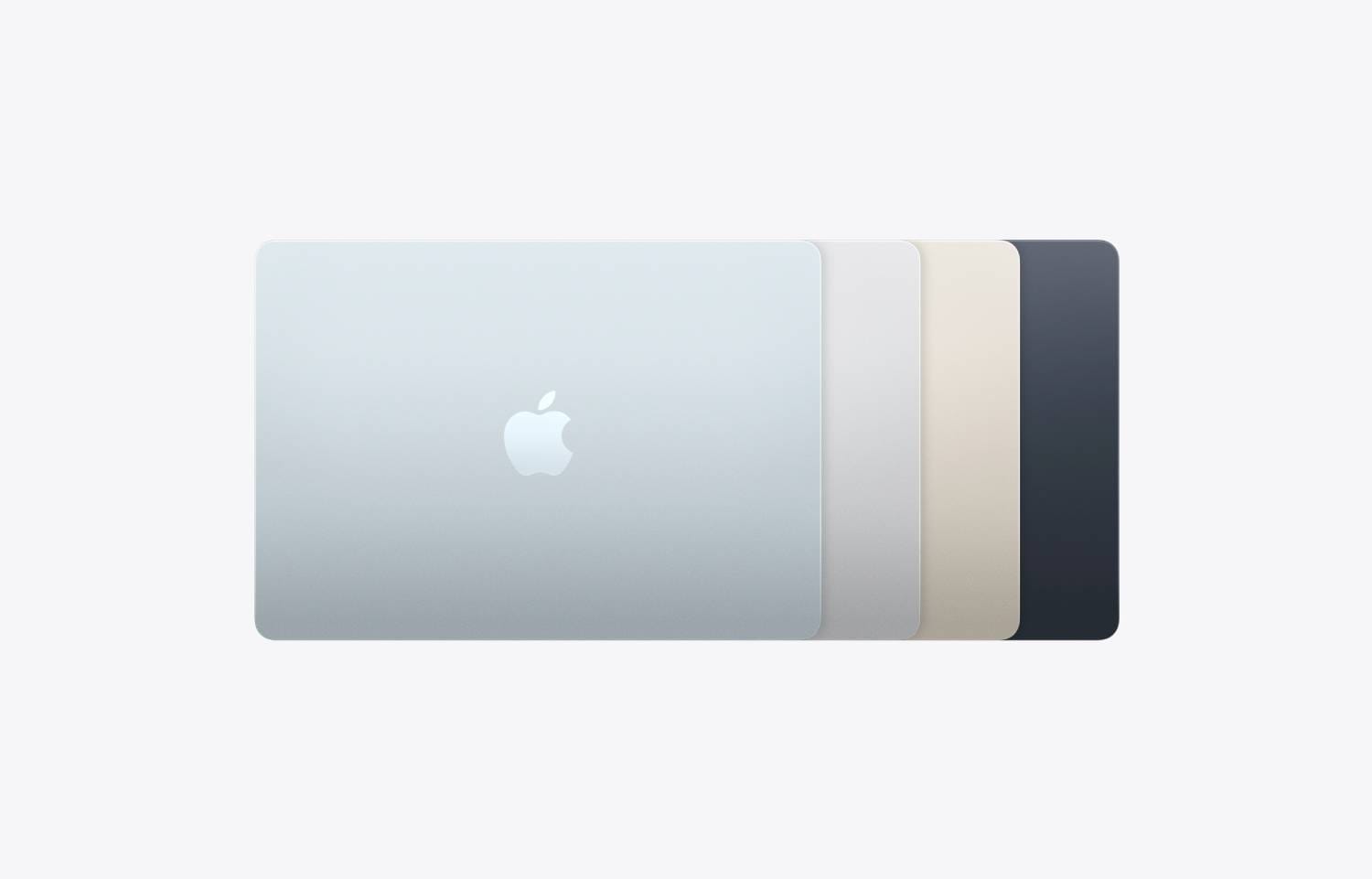
MacBook Air 13-inch (M4, 2025) is the “most students should buy this” option: it’s light enough to carry every day, strong enough to feel fast for typical uni work, and efficient enough to last through lectures, library sessions, and evening study without living on a charger. [7]
From a student practicality perspective, the biggest wins are the base 16GB unified memory and the M4 chip’s performance-per-watt. Apple positioned this generation around better value and everyday usefulness: up to 18 hours of battery life, a 12MP Center Stage camera, plus support for two external displays while still using the built-in screen—an upgrade that matters if you end up writing long essays with references open on a second monitor. On the specs sheet, the 13-inch model is rated up to 15 hours wireless web (a realistic proxy for student browsing + cloud docs) and weighs 1.24 kg, which is excellent for daily commuting.
Independent UK reviews also highlight why the Air works so well for students: it’s fanless (silent), it stays “very fast and snappy” in typical work, and battery can stretch beyond 16 hours for lighter productivity patterns. Another UK review measured battery performance in a controlled test and found the M4 Air landing in the mid‑teens for runtime, which aligns with the idea that it can cover long university days even with real multitasking.
The trade-offs are the ones that matter to know before you buy: you get two Thunderbolt/USB‑C ports plus MagSafe and a headphone jack, but you do not get HDMI or an SD card slot built in—so many students will eventually want a USB‑C adapter/hub. Also, the display is great for everyday work, but it’s still a 60Hz panel (fine for study, but not the smoothest option).
✅ Why this pick
Pros: excellent portability (1.24 kg), strong battery ratings, base 16GB memory, supports up to two external displays, and a modern 12MP Center Stage camera.
Cons: limited built-in ports (two USB‑C/Thunderbolt), no HDMI/SD built in, and a 60Hz display.
Main standout feature: The best balance of weight, battery, and performance for typical student work.
Who it’s best for: Most UK uni/college students who want a reliable, genuinely portable “take everywhere” laptop.
Amazon UK Check: 👉 Check price on Amazon UK – MacBook Air 13-inch (M4, 2025 model).
MacBook Pro 14-inch (M4 Pro or base M4, currently sold UK retail version) – Best performance-focused MacBook
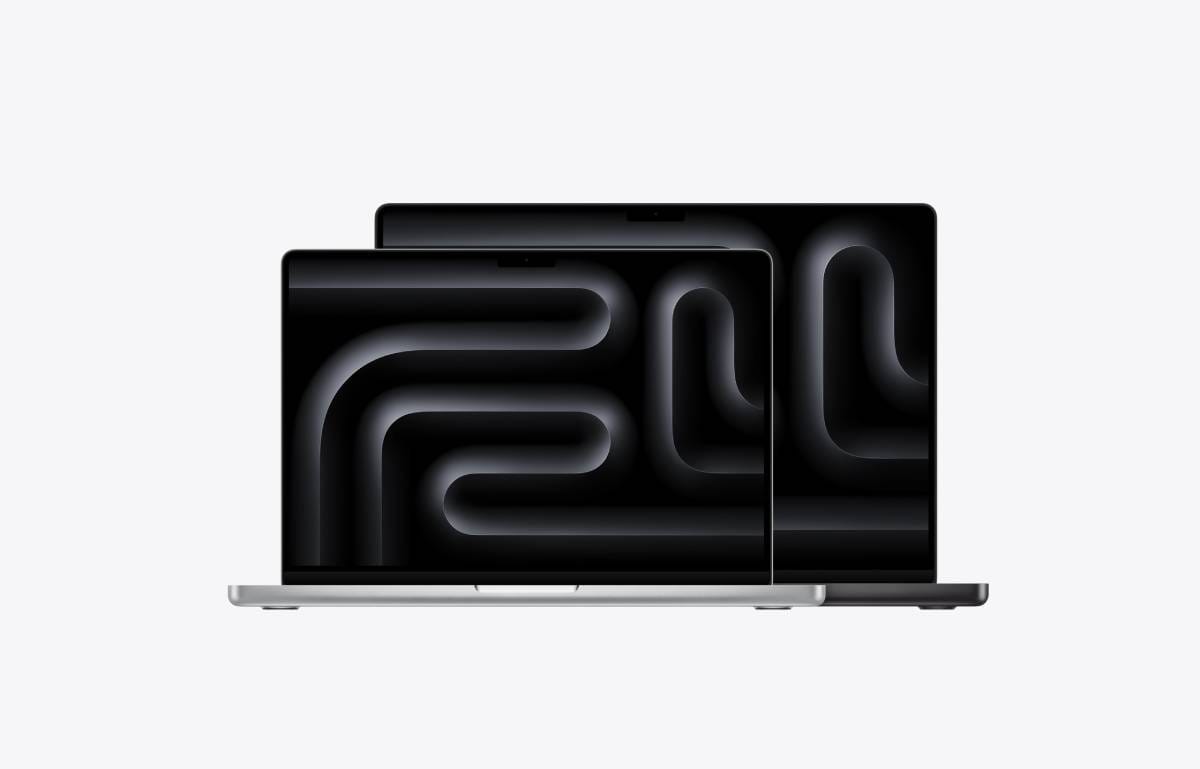
If your degree regularly pushes beyond standard writing-and-research—think heavier software development, creative production, or working with demanding datasets—the 14-inch MacBook Pro in an M4 configuration is the “buy once, cry once” student option. It costs more, but it’s built to stay fast under sustained workloads and it’s far more plug‑and‑play with peripherals. [8]
For students who need the step-up, the M4 Pro configuration is the one that best fits the “performance focused” label. Apple’s technical specs list the M4 Pro version with 24GB unified memory as standard, plus a higher-performance CPU/GPU setup and higher memory bandwidth than the standard M4. That base memory matters for longevity: it’s the difference between comfortably keeping multiple “heavy” apps open (and not constantly closing things to keep the system responsive) versus planning around constraints.
The other student-facing advantage is the hardware around the chip. The 14.2-inch Liquid Retina XDR display supports very high brightness (including up to 1000 nits SDR in outdoor conditions) and ProMotion up to 120Hz, which is noticeably smoother for scrolling long documents or timelines than a 60Hz display. The port selection is also genuinely “uni life” friendly: SDXC card slot (useful for photography/media students), HDMI for lecture theatre/projector connections, MagSafe, and three Thunderbolt 5 ports—so you can charge, connect storage, and plug into a monitor without immediately using up all your I/O.
Battery is strong, too. Apple rates the M4 Pro model at up to 22 hours video streaming and 14 hours wireless web (real‑world varies, but those are meaningful ceilings), and independent reviews of the 14-inch M4 MacBook Pro line have measured video playback stamina stretching beyond 20 hours in controlled tests. The compromise is simple: this is heavier (listed at 1.60 kg in Apple’s specs for the M4 Pro model) and it’s noticeably more expensive than either Air.
✅ Why this pick
Pros: best sustained performance headroom, high-end 120Hz XDR display, and the most useful built-in ports for campus life (HDMI/SD + multiple Thunderbolt).
Cons: premium pricing and heavier than the Air models.
Main standout feature: The best mix of performance + display + ports for demanding student workflows.
Who it’s best for: Students who routinely do performance-heavy work and want a machine that won’t feel limiting as projects scale up across the degree.
Amazon UK Check: 👉 Check price on Amazon UK – MacBook Pro 14-inch (M4 Pro or base M4, currently sold UK retail version).
MacBook Air 15-inch (M4, 2025 model) – Best larger-screen student MacBook
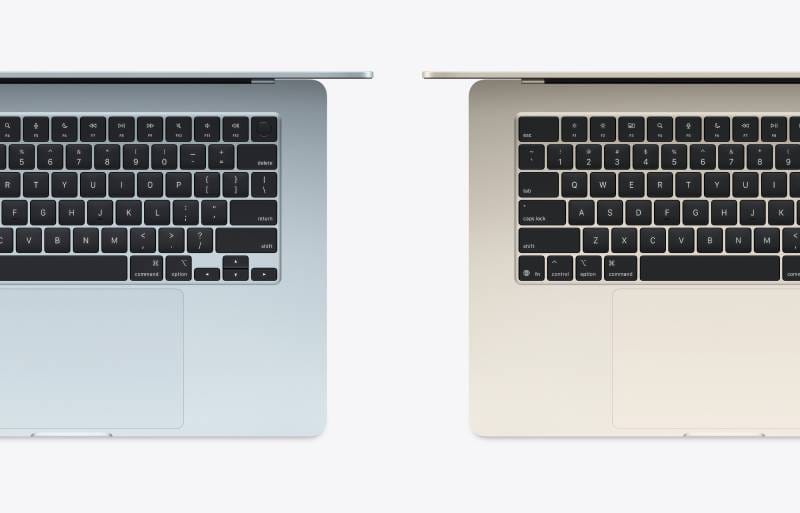
MacBook Air 15-inch (M4, 2025) is the best choice if you want a bigger screen for the way student work actually happens: reading long PDFs, writing essays with references open, using split-screen notes, and building revision resources without constantly zooming and rearranging windows. Crucially, it delivers that bigger display without turning into a “giant heavy laptop.” [9]
On the spec sheet, the 15-inch Air keeps the same core student wins as the 13-inch: base 16GB unified memory, up to 15 hours wireless web and 18 hours video streaming, and support for up to two external displays simultaneously (up to 6K at 60Hz). The larger screen is 15.3-inch Liquid Retina at 500 nits, which is simply more comfortable for long reading and multi-window working. The weight is listed at 1.51 kg, which is still very reasonable for daily carry—especially compared to how much screen you get.
Reviews also point out that there’s no “performance penalty” or battery penalty you need to fear just because you chose the bigger screen; instead, size is the main difference in the day-to-day experience, plus differences in starting configurations. In battery testing, one review measured over 20 hours of local video playback, reinforcing that the Air line remains among the best for battery life (with the obvious caveat that things like heavy multitasking and max brightness will reduce runtime). UK sources also consistently position the 15-inch model as the “more comfortable” option if you can afford the slight price increase over the 13-inch.
You’re still making the same key trade-off as any MacBook Air: you don’t get the Pro’s built-in HDMI/SD, and you still only have two Thunderbolt/USB‑C ports—so if you plan on plugging in multiple accessories, budget for a hub. But if your priority is simply more space to think, read, and write, the 15-inch Air is the most student-friendly large-screen MacBook in the current lineup.
✅ Why this pick
Pros: larger 15.3-inch screen, strong battery ratings, base 16GB memory, supports up to two external displays, and still relatively light at 1.51 kg.
Cons: larger footprint for small lecture desks; still limited ports (you may want a USB‑C hub).
Main standout feature: The most comfortable screen size for reading and split-screen work while staying “Air-light.”
Who it’s best for: Students who prioritise screen space for essays, research, and multitasking—and don’t mind carrying a slightly larger laptop.
Amazon UK Check: 👉 Check price on Amazon UK – MacBook Air 15-inch (M4, 2025 model).
Comparison Table
The specs below use official technical specifications for battery, weight, display, memory, and ports, alongside UK review observations and current Amazon UK new-listing availability.
| FEATURE | MACBOOK AIR 13-INCH (M4, 2025) | MACBOOK PRO 14-INCH (M4 PRO OR M4) | MACBOOK AIR 15-INCH (M4, 2025) |
|---|---|---|---|
| Best for | Most students (best balance) | Demanding workloads + more ports | Students who want more screen |
| Weight | 1.24 kg | 1.60 kg (M4 Pro spec) | 1.51 kg |
| Display | 13.6-inch, 500 nits | 14.2-inch XDR, ProMotion up to 120Hz | 15.3-inch, 500 nits |
| Battery rating | Up to 15 hrs web / 18 hrs video | Up to 14 hrs web / 22 hrs video (M4 Pro spec) | Up to 15 hrs web / 18 hrs video |
| Ports | MagSafe + 2× Thunderbolt (USB‑C) + 3.5mm | MagSafe + HDMI + SDXC + 3× Thunderbolt + 3.5mm | MagSafe + 2× Thunderbolt (USB‑C) + 3.5mm |
| External displays | Up to two external displays simultaneously | Up to two external displays (M4 Pro spec) | Up to two external displays simultaneously |
| Typical pricing | From ~£879–£999 new (deals common) | Premium-priced (often £2,000+ depending on config) | From ~£929–£1,199 new (deals common) |
MacBook Air 13-inch (M4, 2025) → Check Price on Amazon UK.
MacBook Pro 14-inch (M4 Pro or base M4) → Check Price on Amazon UK.
MacBook Air 15-inch (M4, 2025) → Check Price on Amazon UK.
What to Consider Before Buying
Even with only three excellent choices, your configuration decisions (mainly RAM and storage) will decide whether your MacBook still feels great in year three.
Memory first, then storage. The M4 MacBook Airs start at 16GB unified memory and can be configured higher, while the M4 Pro MacBook Pro baseline configuration starts at 24GB unified memory (higher than the Air). If you regularly run heavy apps (creative tools, complex coding projects), memory headroom matters more than marginal CPU differences.
Don’t underestimate storage. Base storage can be enough if you live in cloud docs, but many degree programmes involve large PDFs, recorded lectures, and big project folders. Both Air sizes start at 256GB and can be configured higher; the Pro starts at higher base storage depending on configuration.
Ports and adapters are a lifestyle choice. If you hate dongles—or you frequently connect to HDMI projectors, SD cards, or multiple peripherals—the MacBook Pro’s built-in HDMI/SDXC slot is the practical win. If you’re happy with a small USB‑C hub in your bag, the Air models are typically the better value and lighter carry.
Make sure you’re buying NEW on Amazon UK. On any Amazon listing, double-check the condition is new and that you’re buying from a reputable seller (many students prefer listings shipped and sold by Amazon for returns/warranty simplicity).
Frequently Asked Questions
Q1: Is MacBook Air M4 enough for university in 2026?
For most students, yes—M4 Air is designed for everyday productivity with long battery life and base 16GB memory.
Q2: Should I pick 13-inch or 15-inch Air for lectures?
Choose 13-inch if portability is the priority; choose 15-inch if you do lots of split‑screen reading/writing.
Q3: When is the MacBook Pro the better student choice?
If you need extra ports (HDMI/SD) and stronger sustained performance, the Pro is the safer long-term option.
Q4: Can these models run two external monitors?
Yes—M4 MacBook Air supports up to two external displays simultaneously in addition to the built-in display, and the M4 Pro MacBook Pro supports up to two external displays as well.
Q5: Are these picks available new on Amazon UK?
Yes—each model was verified as purchasable new on Amazon UK at the time of this February 2026 update.
Final Verdict
In 2026, the best student MacBook depends on how you study:
- MacBook Air 13-inch (M4) is the best overall pick for most students → Check price on Amazon UK.
- MacBook Pro 14-inch (M4 Pro or base M4) is the right choice for performance-heavy degrees → Check price on Amazon UK.
- MacBook Air 15-inch (M4) is best if you want a bigger screen without a huge weight penalty → Check price on Amazon UK.
We update our comparisons regularly to keep everything accurate, up to date, and UK-focused.