Best Gaming Laptops Under £800 (UK 2026)
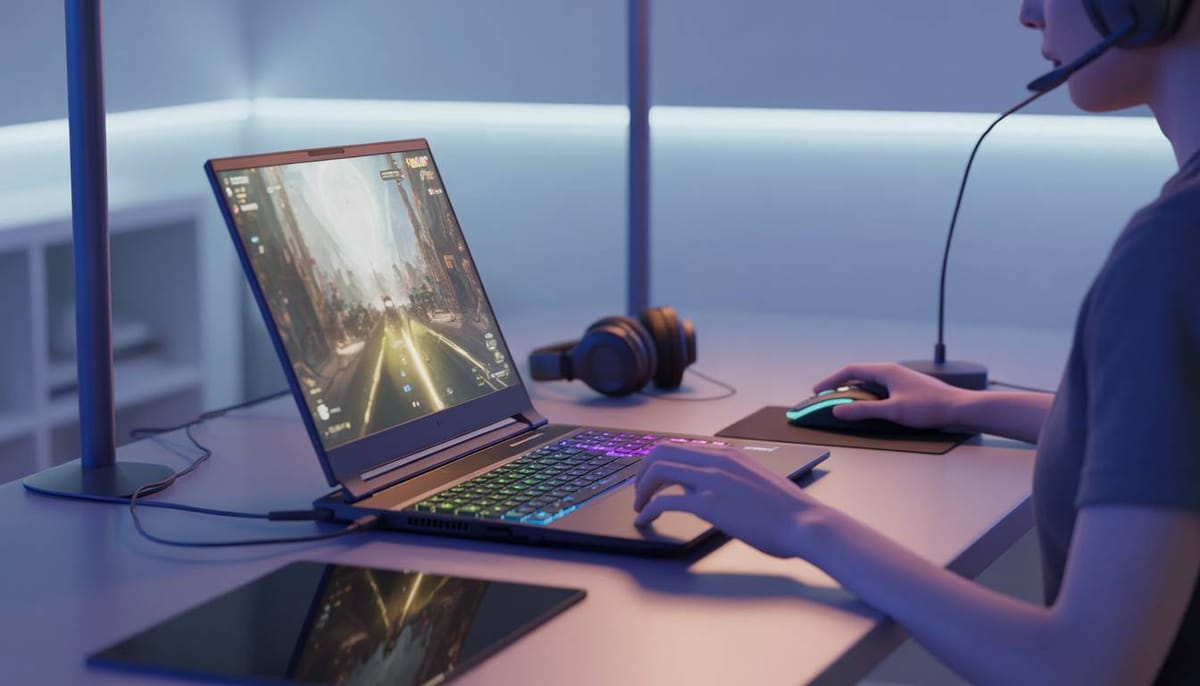
Reviewed for gaming performance, GPU power & value – updated 2026
🥇Acer Nitro V15 – Best overall gaming laptop under £800 → Check price on Amazon UK
🥈ASUS TUF Gaming A15 – Best performance gaming laptop for the price → Check price on Amazon UK
🥉 MSI Cyborg 15 – Best value gaming laptop for students → Check price on Amazon UK
👉 Scroll down to see full reviews and Amazon UK links
Introduction
Gaming on a budget doesn’t have to mean terrible performance. For around £800, today’s gaming laptops can handle popular games smoothly at 1080p. We focused on models that offer a strong GPU/CPU balance, quality cooling, and sensible features for both play and study. Each pick here is a UK retail model confirmed to be under £800 new. The Acer Nitro V15 tops the list with a Core i5 CPU and Nvidia RTX 4050 GPU[1], delivering high frame rates for the price. The ASUS TUF A15 (Ryzen 5/7 with RTX 3050/4050) is known for its tough build and good performance. Finally, the MSI Cyborg 15 (Intel Core i5-13420H, RTX 3050) delivers excellent value for budget-conscious gamers. It combines a capable 13th-generation Intel processor, dedicated RTX graphics, and a smooth 144 Hz display, making it a solid option for students and casual gamers who want reliable 1080p performance without exceeding the £800 budget.
What Makes a Good Gaming Laptop Under £800?
- GPU Power. A capable GPU is critical. Under £800 you’ll typically find Nvidia RTX 3050 or 4050 graphics. The RTX 4050 (6GB) in particular provides “solid 1080p gaming performance”, allowing high or ultra settings in many titles. The RTX 3050 (4–6GB) is slower but still handles modern games at 1080p on medium settings. Both support DLSS and ray tracing, which boost performance and visuals.
- CPU Performance. Today’s games also rely on multi-core CPUs. Look for modern multi-core processors. The Acer Nitro V15 uses the Intel Core i5-13420H, the ASUS TUF A15 often features AMD’s Ryzen 5-7535HS, and the MSI Cyborg 15 also uses the Intel Core i5-13420H, an efficient 13th-generation chip that provides enough performance for gaming, streaming, and everyday productivity tasks.
- Memory (RAM). Aim for 16GB of DDR5 RAM. This is the sweet spot for modern gaming + background apps. All our picks come with 16GB out-of-the-box, which avoids bottlenecks in games and allows keeping textbooks or browsers open alongside.
- Storage (SSD). A fast NVMe SSD (at least 512GB) is standard. This ensures quick boot and load times. All three models feature a 512GB SSD, and many also offer a second M.2 slot for upgrades[2].
- Display. Look for a 15.6‑inch 1080p screen with a high refresh rate (typically 144Hz). This ensures sharp images and smooth motion during gameplay. For example, the Nitro V15 and TUF A15 both use 15.6″ FHD IPS panels at 144Hz. A higher refresh rate means less motion blur and a more responsive feel. The MSI Cyborg 15 includes a 15.6-inch Full HD IPS-level display with a 144 Hz refresh rate, which helps reduce motion blur and makes gameplay feel smoother in competitive titles such as Fortnite, Valorant, or Call of Duty.
- Cooling. Gaming laptops must dissipate heat well. Each of these models uses dual-fan cooling systems to prevent throttling. In practice, this means your laptop can run at high speeds, but the fans will spin up under load. For example, reviews note that the Nitro’s dual fans deliver good thermal performance but are “plainly audible” even at light tasks. Similarly, the TUF’s robust cooling keeps the Ryzen/RTX cool, though reviewers warn of “noisy fans” when gaming[3]. MSI’s Cyborg series is designed with a lightweight gaming chassis and MSI’s cooling system to manage heat during longer gaming sessions. The design features a futuristic translucent style and a relatively slim profile for a gaming laptop, helping it remain portable for students or everyday use. In short: look for good cooling hardware, but be prepared for fan noise during gaming.
Considering all these factors – GPU strength, a multi-core CPU, 16GB RAM, SSD storage, a 1080p 144Hz screen and adequate cooling – ensures a laptop will deliver solid gaming at 1080p while still handling study work. Each pick here balances these components for great 1080p performance under £800[1].
Top 3 Picks
🥇Acer Nitro V15 (Intel Core i5, RTX 4050) - Best overall
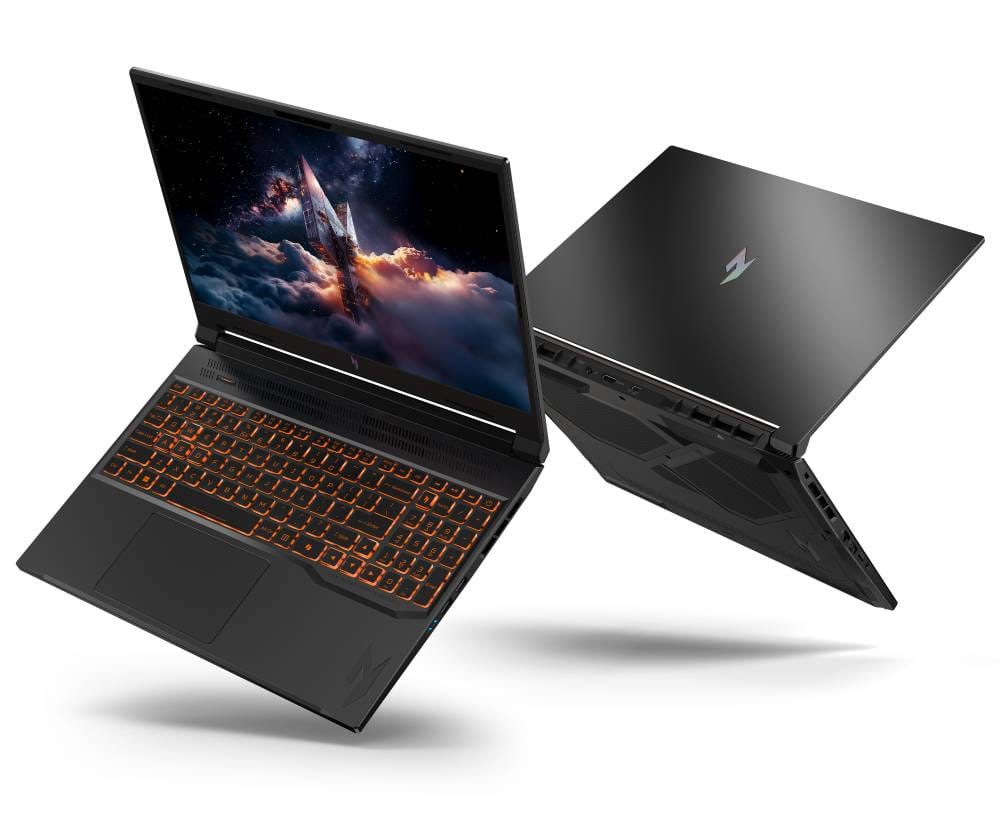
Acer’s Nitro V15 blends strong gaming power and everyday usability. It pairs an Intel Core i5-13420H CPU with an Nvidia GeForce RTX 4050 GPU (6GB) and 16GB DDR5 RAM. This lets it run modern games smoothly at 1080p (even “high” settings), thanks to “solid 1080p gaming performance” from the 4050 GPU[4]. The laptop also has a fast 512GB NVMe SSD and a 15.6″ FHD 144Hz IPS display. Acer equipped the Nitro V15 with dual fans and an aerodynamic cooling design, so it can sustain high frame rates. In practice, the fans can get loud under load, but they do keep the CPU/GPU temps in check. Key advantages include a comfortable RGB backlit keyboard and the ability to add another SSD (dual M.2 slots)[5].
✅ Why this pick
Pros: Excellent 1080p gaming performance with the RTX 4050; comfortable keyboard; dual-storage upgradeability.
Cons: Loud cooling fans and a rather dull screen color gamut[6].
Main Standout: Very capable RTX 4050 GPU for the price – unmatched on this budget.
Best For: Gamers who want the highest settings and frame rates they can get under £800.
🥈ASUS TUF Gaming A15 (AMD Ryzen 5/7, RTX 3050/4050) - Best performance laptop
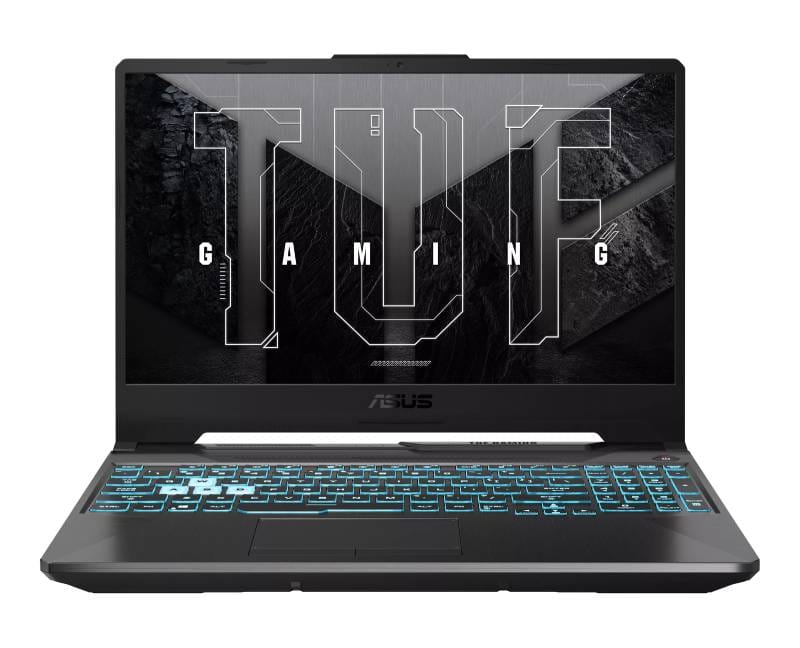
The ASUS TUF A15 is a ruggedly built laptop aimed at serious gamers. Under £800 you’ll typically find it in RTX 3050 or 4050 variants; for example, our pick uses an AMD Ryzen 5‑7535HS (6-core) with an RTX 3050 (4GB) and 16GB DDR5. This setup delivers “strong 1080p performance” – plenty for high/med settings in most titles. The TUF’s 15.6″ 144Hz panel is clear and responsive, and Asus includes a MIL-STD chassis with a one-zone RGB backlit keyboard. Importantly, the TUF has a large cooling system (often 4 heatpipes) and a beefy 90Wh battery, so it stays cool and lasts longer. In benchmarks and reviews, the TUF A15 shows balanced performance and a generous port selection. However, its fans are known to be noisy when pushed, and the design is quite bulky.
✅ Why this pick
Pros: Solid 1080p gaming / productivity performance; durable military-grade build; long battery life (large 90Wh pack).
Cons: Very loud fans under load.
Main Standout: Tough build and excellent cooling for sustained performance.
Best For: Gamers who want steady high-end performance (and can handle some noise) under £800.
🥉MSI Cyborg 15 (Intel Core i5-13420H, RTX 3050) - Best value
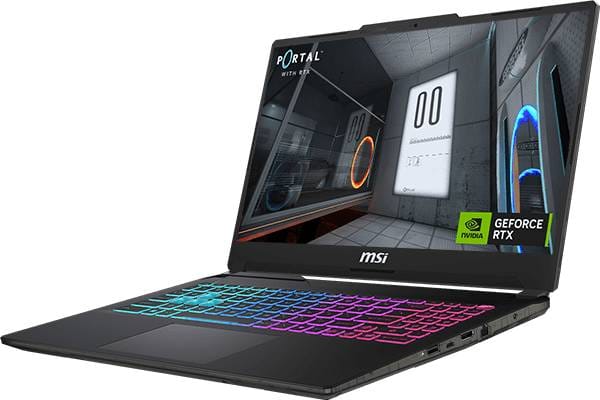
The MSI Cyborg 15 is the best-value option in this comparison, offering a balanced mix of performance, display quality, and affordability. Powered by Intel’s Core i5-13420H processor and the NVIDIA GeForce RTX 3050 laptop GPU, it provides enough power to run modern games at 1080p on medium to high settings while also handling everyday tasks like browsing, content creation, and university work. The laptop includes 16 GB of DDR5 RAM and a fast 512 GB NVMe SSD, which ensures smooth multitasking and quick loading times. Its 15.6-inch Full HD display with a 144 Hz refresh rate delivers noticeably smoother visuals compared with standard 60 Hz panels, making it suitable for competitive gaming. At roughly 1.98 kg, the Cyborg 15 remains reasonably portable for a gaming laptop, making it a practical choice for students who want gaming performance without exceeding the £800 budget.
✅ Why this pick
Pros: Good overall gaming performance for the price; smooth 144 Hz Full HD display; 16 GB RAM included for multitasking and gaming; lightweight and portable gaming design.
Cons: RTX 3050 is less powerful than RTX 4050 models; Build quality is more basic than premium gaming laptops.
Main Standout: A well-balanced budget gaming laptop offering solid 1080p gaming performance with a fast 144 Hz display while staying comfortably under the £800 price range.
Best For: Students or casual gamers who want a capable gaming laptop for modern games without spending more than £800.
Comparison Table
| Model | GPU | CPU | RAM | Storage | Display | Weight | Price (approx.) | Best For |
|---|---|---|---|---|---|---|---|---|
| Acer Nitro V 15 | NVIDIA RTX 4050 | Intel Core i5-13420H | 16GB DDR5 | 512GB NVMe SSD | 15.6″ FHD 144Hz | ~2.1 kg | ~£799 | Best performance |
| ASUS TUF Gaming A15 | NVIDIA RTX 3050 | AMD Ryzen 5-7535HS | 16GB DDR5 | 512GB NVMe SSD | 15.6″ FHD 144Hz | ~2.2 kg | ~£749 | Durable build |
| MSI Cyborg 15 | NVIDIA RTX 3050 | Intel Core i5-13420H | 16GB DDR5 | 512GB NVMe SSD | 15.6″ FHD 144Hz | ~1.98 kg | ~£730–£780 | Best value |
🥇Acer Nitro V15 → Check price on Amazon UK
🥈ASUS TUF Gaming A15 → Check price on Amazon UK
🥉MSI Cyborg 15 → Check price on Amazon UK
What to Consider Before Buying
When shopping for a gaming laptop under £800, accept that there will be trade-offs.
GPU vs. CPU: Higher-end GPUs (RTX 4050) cost more, so some models use RTX 3050 to stay in budget. The 4050 gives much higher frame rates, but a 3050 still handles 1080p gaming reasonably well.
Cooling and Noise: Powerful components need strong cooling. All our picks use dual fans and heat-pipes. They keep the CPU/GPU performance high, but you’ll hear them ramp up during gameplay[7]. If you need a quieter system, consider using headphones or reducing settings.
Upgrade Options: Check if the laptop has extra RAM slots or an M.2 SSD bay. The Nitro V15 and TUF A15 typically allow adding more RAM or a second SSD, which extends longevity.
Display Quality: A 144Hz panel is great for gaming, but also compare color and brightness. The MSI Cyborg 15’s 144 Hz IPS-level panel is a strong feature at this price point, providing smoother gameplay than standard 60 Hz displays. While colour accuracy and brightness are typical for a budget gaming laptop, the higher refresh rate makes fast-paced games feel much more responsive.
Battery Life: Note that high-refresh gaming laptops have modest battery life under load. Expect around 3–4 hours at most while gaming. Like most budget gaming laptops, the MSI Cyborg 15 prioritises performance over battery life. Expect several hours of light productivity use, but gaming sessions will still require the charger connected for the best performance. Finally, always verify that the model you choose is the official UK version (proper keyboard layout, warranty). With those points in mind, you’ll get the most out of your £800 budget and avoid surprises with these picks.
FAQ
Can a £800 gaming laptop run modern games?
Yes. All three picks here can run current games at 1080p. They pair decent CPUs with discrete Nvidia GPUs, so popular titles like Fortnite, Apex Legends, or Cyberpunk 2077 will play smoothly (at medium to high settings) on 1080p. The Acer Nitro’s RTX 4050, for instance, delivers “solid 1080p gaming performance”. You may not max out every graphical setting in the newest AAA games, but you’ll get playable framerates at Full HD, making these machines good for casual and competitive play.
Is the RTX 3050 good enough for gaming?
The RTX 3050 (4GB or 6GB) is the entry-level RTX card. It’s certainly “good enough” for 1080p gaming with some compromises. You’ll typically run games on low to medium settings to maintain smooth framerates. It also supports ray tracing and DLSS, which help performance in supported games. In short, RTX 3050 laptops like the ASUS TUF A15 or MSI Cyborg 15 can handle modern games, but you’ll get higher fps or graphical fidelity from an RTX 4050. If you primarily play esports or older titles (which are less demanding), a 3050 will be fine; for the latest AAA games at high settings, a 4050 is preferable.
Can gaming laptops be used for university work?
Absolutely. These gaming laptops are full Windows notebooks, so they run any productivity software. The multi-core CPUs (i5 or Ryzen 5/7) and 16GB of RAM make them great for multitasking. You can write essays, run simulations, edit video, or stream lectures just as easily as you can play games. Gaming laptops simply add the bonus of strong graphics performance. For students, this means one machine handles both schoolwork and gaming needs. Just remember that gaming laptops tend to be heavier and have shorter battery life than ultrabooks, so they trade some portability for power.
Is 16GB RAM necessary in a gaming laptop?
While some games can run on 8GB, 16GB is highly recommended today. Modern games, Windows 11, plus background apps (browsers, streaming software) can easily use over 8GB. With 16GB of DDR5 RAM, you avoid slowdowns or stutters when gaming, and you can keep many browser tabs or apps open while playing. All our picks come with 16GB as standard, which ensures smooth gameplay and plenty of headroom for multitasking. If you skip RAM upgrades, your system might bottleneck in some games. In short, treat 16GB as the minimum for today’s gaming laptops under £800.
Final Verdict
Under £800 in the UK, you can still get a gaming laptop that’s capable and versatile. Whichever you choose, each of these delivers solid 1080p gaming and enough power for study – a winning combination in 2026.
- Acer Nitro V15 stands out as our top pick, offering the best all-around performance with its 4050 GPU and good build. → Check price on Amazon UK
- ASUS TUF A15 is a close runner-up, prized for its toughness and competitive frame rates. → Check price on Amazon UK
- MSI Cyborg 15 A balanced gaming laptop that offers a capable RTX 3050 GPU, 16 GB RAM, and a smooth 144 Hz display while staying within the £800 budget. → Check price on Amazon UK
We update our comparisons regularly to keep everything accurate, up to date, and focused on UK availability.